 -by
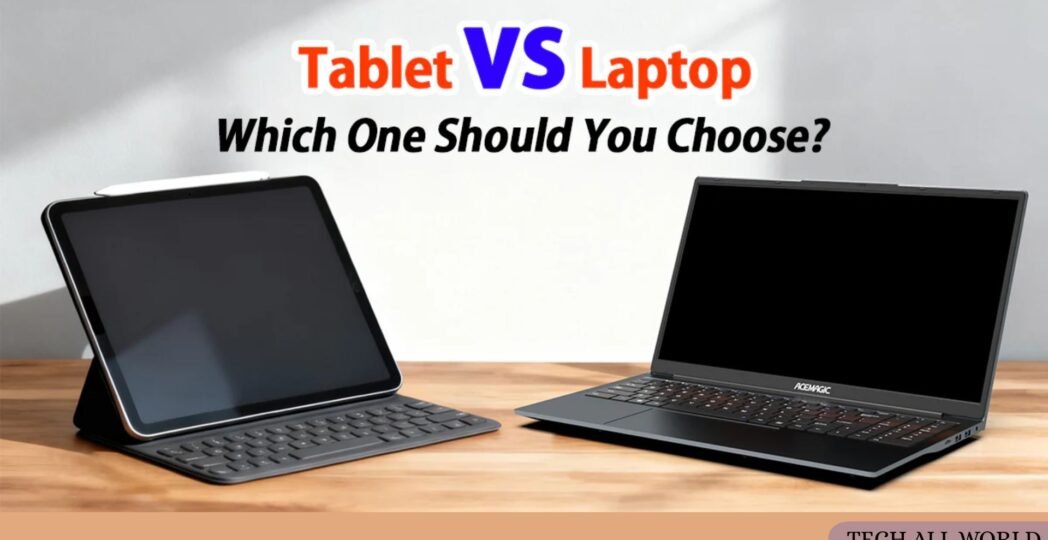
-by Technology has evolved rapidly over the past decade, giving consumers more choices than ever before. Two of the most popular computing devices today are laptops and tablets. While both devices allow users to browse the internet, watch videos, work, study, and communicate online, they serve different purposes and offer unique advantages.
Understanding the difference between a laptop and a tablet can help you make a smarter buying decision based on your needs, budget, and daily activities. In this guide, we’ll compare laptops and tablets in terms of performance, portability, battery life, productivity, software, and overall value to help you determine which device is right for you.
What Is a Laptop?
A laptop is a portable personal computer that combines a display, keyboard, touchpad, processor, memory, and battery into a single device.
Modern laptops can handle a wide range of tasks, including:
- Web browsing
- Content creation
- Programming
- Graphic design
- Video editing
- Gaming
- Business applications
- Online learning
Laptops run full desktop operating systems such as Windows, macOS, or Linux, giving users access to powerful software and multitasking capabilities. Learn more in our laptop buying guide.
What Is a Tablet?
A tablet is a touchscreen mobile computing device designed primarily for portability and convenience. Most tablets operate using mobile operating systems such as Android or iPadOS and rely heavily on touch controls.
Common uses include:
- Reading ebooks
- Watching videos
- Web browsing
- Video calls
- Social media
- Online classes
- Digital note-taking
- Casual gaming
Many modern tablets support external keyboards and styluses, making them more versatile than ever before. You can explore our Chromebook VS Laptop guide for detailed recommendations.
Difference Between a Laptop and a Tablet: Which One Should You Choose?
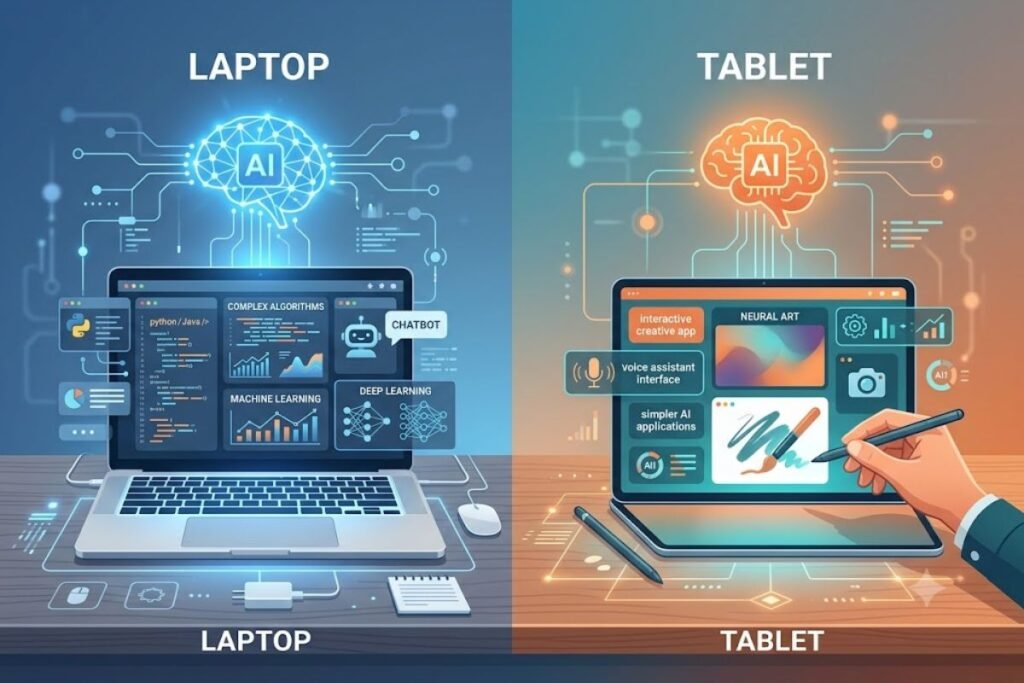
The better choice between a laptop and a tablet depends mainly on how you plan to use the device. If you need a computer for work, programming, content creation, advanced multitasking, or professional software, a laptop is usually the better choice. Its physical keyboard, larger display, desktop operating system, and wider software compatibility make it more suitable for demanding tasks.
A tablet is a better option when portability, touchscreen interaction, battery efficiency, reading, entertainment, and casual productivity are your main priorities. Tablets are particularly convenient for travel, online classes, note-taking, video calls, and media consumption.
There is also a middle ground. Some modern tablets support detachable keyboards, desktop-style multitasking, external displays, and professional applications. Likewise, 2-in-1 laptops can combine laptop productivity with tablet-style touchscreen functionality.
Quick rule: Choose a laptop for productivity and demanding work; choose a tablet for portability and touch-first convenience. If your needs vary significantly, owning both may provide the most flexible setup.
Laptop vs Tablet for Different Types of Users
The right device can change depending on your daily routine. A student who mainly reads textbooks, attends online classes, and takes handwritten notes may prefer a tablet because it is lightweight and easy to carry. However, students who regularly write long assignments, use programming tools, or work with specialized academic software may benefit more from a laptop.
For office workers and remote professionals, laptops are generally more practical because they provide a comfortable keyboard, desktop-class applications, better multitasking, and easier file management. Writers, developers, designers, and video editors should also prioritize laptops because their workloads often require software and hardware capabilities that tablets may not fully provide.
Travelers and entertainment-focused users may find tablets more convenient. A tablet takes up less space and works particularly well for streaming, reading, browsing, and video calls. For families, a tablet can also be useful as a shared media and learning device, while a laptop is generally better when several users need productivity-focused applications. Think about your most demanding daily task—not your easiest one—when choosing between the two.
Laptop vs Tablet: Key Differences
| Feature | Laptop | Tablet |
|---|---|---|
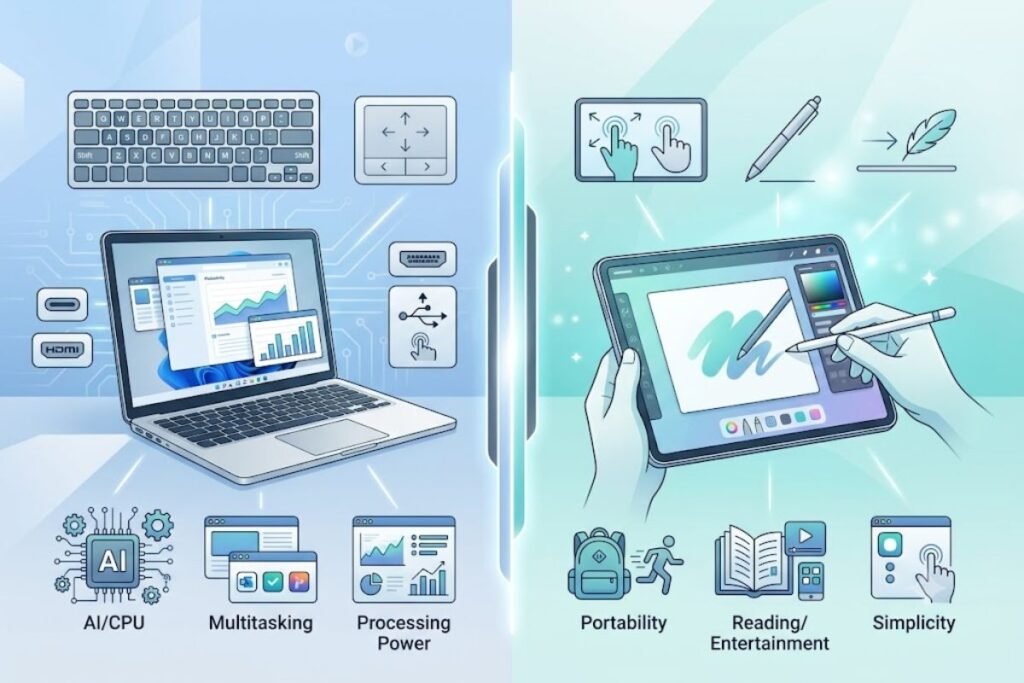
| Performance | Better for demanding workloads | Best for everyday tasks |
| Portability | Portable but generally heavier | Usually lighter and easier to carry |
| Keyboard | Built-in physical keyboard | Usually optional |
| Touchscreen | Available on some models | Core part of the experience |
| Software | Broad desktop software support | Primarily mobile/tablet apps |
| Multitasking | Excellent for complex workflows | Improving but generally more limited |
| Battery efficiency | Varies by model | Often excellent |
| Storage flexibility | Usually greater | Often more limited |
| Gaming | Better for PC gaming | Better for casual/mobile gaming |
| Creative work | Strong for professional workflows | Good for drawing and light editing |
| Connectivity | More ports on many models | Often relies more on wireless connections |
| Best for | Work, study, programming, creation | Reading, media, travel, light productivity |
This table provides a general comparison rather than a rule for every device. Premium tablets can outperform some entry-level laptops, while lightweight laptops can offer excellent battery life and portability. Always compare the specifications and software support of the specific models you are considering. Let’s compare laptops and tablets across the most important categories.
01. Performance
Performance is one of the biggest differences between a laptop and a tablet.
Laptops
Laptops typically include:
- More powerful processors
- Greater RAM capacity
- Larger storage options
- Better multitasking capabilities
Professional applications such as Adobe Photoshop, AutoCAD, video editing software, and programming tools run much better on laptops.
Tablets
Tablets offer excellent performance for everyday tasks but usually have less processing power than laptops.
Most tablets perform well for:
- Streaming
- Web browsing
- Note-taking
- Social media
Winner: Laptop
For demanding workloads, laptops provide significantly more power.
Performance Depends on the Workload
The performance gap between laptops and tablets is not as simple as it once was. Modern tablets can use powerful processors and handle demanding applications surprisingly well, especially for photo editing, drawing, office work, and high-quality media consumption. Some premium tablets can even outperform lower-cost laptops in specific workloads.
The bigger difference is often sustained performance, software availability, cooling, memory options, and multitasking rather than processor speed alone. A laptop is generally better suited to workloads such as software development, large spreadsheets, professional video editing, 3D applications, and running several desktop programs simultaneously.
For basic browsing, streaming, document editing, note-taking, and communication, a modern tablet can provide more than enough performance. Instead of choosing a device based only on processor specifications, consider the applications you actually use. If your most demanding software requires Windows, macOS, or Linux, a laptop is usually the safer choice. If your work is primarily browser- and app-based, a capable tablet may meet your needs.
Best Choice for Performance
Choose a laptop if: you use professional software, develop software, edit high-resolution video, work with large datasets, or regularly multitask across demanding applications.
Choose a tablet if: your workload mainly involves browsing, streaming, note-taking, email, reading, and lightweight creative or productivity apps.
02. Portability
Portability is where tablets often shine.
Laptops
Most laptops weigh between 1.2 kg and 2.5 kg. While portable, they still require more bag space and can feel heavier during travel.
Tablets
Many tablets weigh less than 700 grams. Their slim design makes them ideal for:
- Travel
- Commuting
- Reading
- Outdoor use
Winner: Tablet
If portability is your top priority, a tablet is usually the better option.
Best Choice for Portability
Choose a tablet if: you travel frequently, carry your device throughout the day, or prefer a lightweight touchscreen device.
Choose a laptop if: you need a built-in keyboard and full productivity environment wherever you work.
03. Keyboard and Typing Experience
Typing comfort is crucial for students, writers, and professionals.
Laptops
Laptops include:
- Full-sized keyboards
- Larger trackpads
- Better ergonomics
This makes them ideal for long writing sessions. Read our best laptops for writers guide if typing comfort is important to you.
Tablets
While external keyboards are available, they often feel less comfortable than traditional laptop keyboards. Touchscreen typing works well for short tasks but becomes challenging for extended work sessions.
Winner: Laptop
For productivity and long-form typing, laptops remain superior.
Keyboard, Stylus, and Accessories
Accessories can significantly change what a tablet or laptop is capable of doing. A tablet paired with a keyboard can become a useful productivity device, while a stylus can make it particularly effective for handwritten notes, sketching, annotations, and digital art.
However, accessories also add cost and can affect portability. Once you add a keyboard cover, stylus, protective case, and other accessories, the total price of a tablet setup can approach or sometimes exceed that of a basic laptop.
Laptops already include a physical keyboard and trackpad, so they usually require fewer essential accessories for productivity. You can still expand a laptop with an external monitor, mouse, docking station, drawing tablet, or other peripherals.
When comparing total value, consider the complete setup rather than the device price alone. A tablet may appear cheaper initially but become considerably more expensive after adding the accessories you need. On the other hand, users who value handwriting, drawing, or touchscreen interaction may find those accessories worth the additional cost.
04. Battery Life
Battery life varies by device, but tablets generally consume less power.
Laptop Battery Life
Modern laptops typically offer:
- 8 to 18 hours of battery life
Premium ultrabooks can last even longer.
Tablet Battery Life
Many tablets deliver:
- 10 to 15 hours of continuous use
Because tablets use mobile operating systems, they are often more energy efficient.
Winner: Tablet
Most tablets offer slightly better battery efficiency.
Best Choice for Battery Life
Choose a tablet if: long periods away from a charger are common, and your tasks are relatively light.
Choose a laptop if: you need sustained performance for demanding work and are comfortable carrying a charger when necessary.
05. Display Size and Viewing Experience
Display size can significantly affect how comfortable a device feels during everyday use. Laptops commonly offer larger screens, making them more suitable for spreadsheets, document editing, programming, video editing, and working with several windows at once. Larger displays can also reduce the need for constant zooming when working with detailed content.
Tablets generally prioritize portability and touchscreen interaction. Their smaller form factor makes them comfortable for reading, browsing, drawing, and watching videos while traveling. However, screen size varies widely, and some large tablets can provide a workspace closer to a compact laptop.
Display quality also matters. When comparing specific devices, look at resolution, brightness, refresh rate, color accuracy, panel technology, and aspect ratio rather than screen size alone. An OLED tablet may provide excellent contrast and viewing quality, while a laptop with a high-resolution IPS or OLED panel may be better for long productivity sessions.
If you frequently work with documents or multiple windows, prioritize screen size. If you value portability and entertainment, a high-quality tablet display may be more practical.
06. Software and Applications
Software compatibility is a major factor when choosing between a laptop and a tablet.
Laptops
Laptops support full desktop applications such as:
- Microsoft Office
- Adobe Creative Cloud
- Programming tools
- Professional business software
Visit Microsoft Office or Adobe Creative Cloud to explore available applications.
Tablets
Tablets mainly use mobile applications optimized for touchscreens. Although app ecosystems continue to improve, some professional software remains unavailable or limited.
Winner: Laptop
Laptops provide greater software flexibility and compatibility.
07. Multitasking
Modern users often work with multiple applications simultaneously.
Laptops
Laptops excel at:
- Multiple browser tabs
- Split-screen workflows
- Large spreadsheets
- Video conferencing
- Content creation
Tablets
Many tablets support multitasking, but the experience is generally more limited.
Winner: Laptop
Laptops provide a more productive multitasking environment.
08. Touchscreen Experience
Touch interaction is where tablets dominate.
Tablets
Tablets are built around touch-first experiences.
Features include:
- Finger gestures
- Stylus support
- Digital drawing
- Handwritten notes
Laptops
Some laptops offer touchscreen functionality, but most still rely primarily on keyboards and touchpads.
Winner: Tablet
For touch-based interaction, tablets are the clear winner.
09. Gaming
Gaming is another area where laptops and tablets serve different audiences. A laptop is generally the better choice for PC gaming because it can support desktop game stores, a wider selection of titles, dedicated graphics hardware on many models, external peripherals, and higher-performance configurations. Gaming laptops can also connect to external monitors, mechanical keyboards, gaming mice, and other accessories.
Tablets are better suited to mobile and casual gaming. Their touchscreen controls, lightweight design, and long battery life make them convenient for games designed specifically for Android or iPadOS. Some high-end tablets can also handle graphically demanding games at high frame rates.
Cloud gaming can further reduce the performance difference because processing is handled remotely rather than entirely on the device. However, a reliable, low-latency internet connection becomes important. Choose a laptop if you want traditional PC gaming and greater hardware flexibility. Choose a tablet if you mainly play mobile games or want a lightweight entertainment device. Your preferred game library should be the deciding factor.
10. Ports and Connectivity
Connectivity can make a major difference when using a device for work or creative tasks. Laptops generally provide more physical ports, although the exact selection depends on the model. Depending on the device, you may find USB-A, USB-C, HDMI, SD card readers, headphone connections, or other expansion options. Tablets tend to use a more minimal design. Many rely heavily on USB-C, Bluetooth, Wi-Fi, and wireless accessories.
This keeps the device thin and portable but may require adapters or hubs when connecting external storage, displays, cameras, or other peripherals. Before buying either device, consider what you regularly connect. Photographers may need an SD card reader, professionals may need an external monitor, and content creators may rely on fast external storage.
Students who mainly use cloud services may not need many physical ports. Connectivity is therefore less about which category is universally better and more about matching the available ports to your workflow. Check the exact port selection of the model you are considering rather than assuming every laptop or tablet offers the same connections.
11. Storage Capacity
Storage determines how many files, photos, videos, and applications your device can hold.
Laptops
Many laptops offer:
- 256GB to 2TB SSD storage
- Upgradeable storage options
Tablets
Most tablets provide:
- 64GB to 512GB storage
Some models support cloud storage expansion. Learn about SSD vs HDD storage comparison to better understand storage options.
Winner: Laptop
Laptops generally provide more storage flexibility.
12. Price and Value
Budget is often the deciding factor.
Tablets
Entry-level tablets are usually more affordable.
They’re excellent for:
- Entertainment
- Reading
- Casual productivity
Laptops
Laptops typically cost more but offer greater functionality and performance.
Winner: Depends on Your Needs
For basic use, tablets often provide better value. For productivity and professional work, laptops offer a stronger return on investment.
Consider the Total Cost, Not Just the Device Price
The advertised price is only part of the cost of owning a laptop or tablet. A tablet may require a keyboard, stylus, protective case, charging accessories, or adapters depending on how you plan to use it. A laptop may require fewer essential accessories, although professional users may eventually add a mouse, external monitor, docking station, or storage. Software costs can also affect the overall value.
Some professional applications require subscriptions or desktop versions that may not be available on every tablet platform. Cloud storage and accessory purchases can further increase the long-term expense. Before deciding, create a simple list of what you actually need for your workflow. Include the device, essential accessories, software, storage, and any peripherals you expect to purchase during the first few years.
This approach gives you a more realistic comparison. The cheapest device at checkout is not always the cheapest option over its useful life. Choose the setup that provides the features and software you will actually use rather than paying for specifications you do not need.
Best Choice for Productivity
Choose a laptop if: you write extensively, manage spreadsheets, program, edit content, or use multiple applications simultaneously.
Choose a tablet if: your productivity mainly involves handwriting, reading, meetings, browsing, and lightweight document work.
Repairability, Upgradeability, and Long-Term Value

Long-term value depends on more than the initial purchase price. Some laptops allow users or technicians to upgrade or replace components such as storage and, on certain models, memory. This can extend the useful life of the device and make future repairs or upgrades more practical.
Tablets are usually more compact and integrated, which can make repairs and component replacement more difficult. Battery health is also an important consideration because batteries naturally lose capacity over time. However, the actual lifespan of a tablet or laptop depends heavily on the manufacturer’s software support, hardware quality, repair options, and how demanding your workload is.
When comparing devices, check how long the manufacturer provides operating system and security updates, whether replacement parts are available, and whether the battery can be serviced. Also consider whether the device will still meet your software requirements several years from now.
Instead of assuming that every laptop lasts longer than every tablet, evaluate the specific model’s support policy, repairability, hardware capability, and expected usage. A well-supported tablet can remain useful for years, while an inexpensive laptop may become outdated sooner.
Who Should Buy a Laptop?
A laptop is ideal if you:
- Work remotely
- Write regularly
- Edit videos
- Create content
- Program software
- Use professional applications
- Need extensive multitasking
Professionals, students, freelancers, and business users generally benefit more from laptops.
Who Should Buy a Tablet?
A tablet is a great choice if you:
- Travel frequently
- Read ebooks
- Watch videos
- Browse the internet
- Attend online classes
- Take handwritten notes
- Want maximum portability
Casual users often find tablets more convenient for daily entertainment and light productivity.
Laptop vs Tablet for Students
For students, the better choice depends on their course requirements and study habits. A tablet can be excellent for reading textbooks, highlighting PDFs, watching lectures, taking handwritten notes, attending online classes, and carrying study materials without adding much weight to a backpack.
A laptop becomes more useful when coursework involves long essays, programming, spreadsheets, research with many browser tabs, desktop applications, or specialized academic software. Students studying computer science, engineering, architecture, design, or other technical subjects may need software that works best—or only—on a full desktop operating system.
Budget is another important factor. If a tablet requires a keyboard and stylus to meet your academic needs, compare its complete cost with a laptop before deciding. The best approach is to check your school’s software and hardware requirements first. If your courses depend mainly on browser-based tools, documents, PDFs, and note-taking, a tablet may be sufficient. If your studies require specialized desktop applications or extensive typing, a laptop is generally the safer long-term choice.
Laptop vs Tablet for Work From Home
For working from home, a laptop is generally the more versatile option because it combines a full keyboard, trackpad, desktop-class software, multitasking, file management, and support for external displays. These features are useful when your work involves spreadsheets, long documents, video meetings, project management tools, or multiple applications running at the same time.
A tablet can still work well for remote jobs that are primarily browser-based or communication-focused. Email, video conferencing, document review, messaging, and lightweight administrative tasks can often be handled comfortably on a modern tablet. Adding a keyboard and mouse can make the experience more productive. The key question is whether your work requires desktop software.
If your employer uses specialized Windows, macOS, or Linux applications, verify compatibility before buying a tablet. For occasional remote work, a tablet may provide enough flexibility. For full-time professional work, particularly when multitasking and extended typing are involved, a laptop is usually the safer choice. Consider your company’s software requirements and your daily workflow before making the final decision.
Can a Tablet Replace a Laptop?
This is one of the most common technology questions today.
For basic tasks such as:
- Web browsing
- Streaming
- Note-taking
a tablet can replace a laptop.
However, for demanding tasks like:
- Video editing
- Software development
- Graphic design
- Heavy multitasking
a laptop remains the better option. Many users choose to own both devices to enjoy the strengths of each.
When Should You Own Both a Laptop and a Tablet?
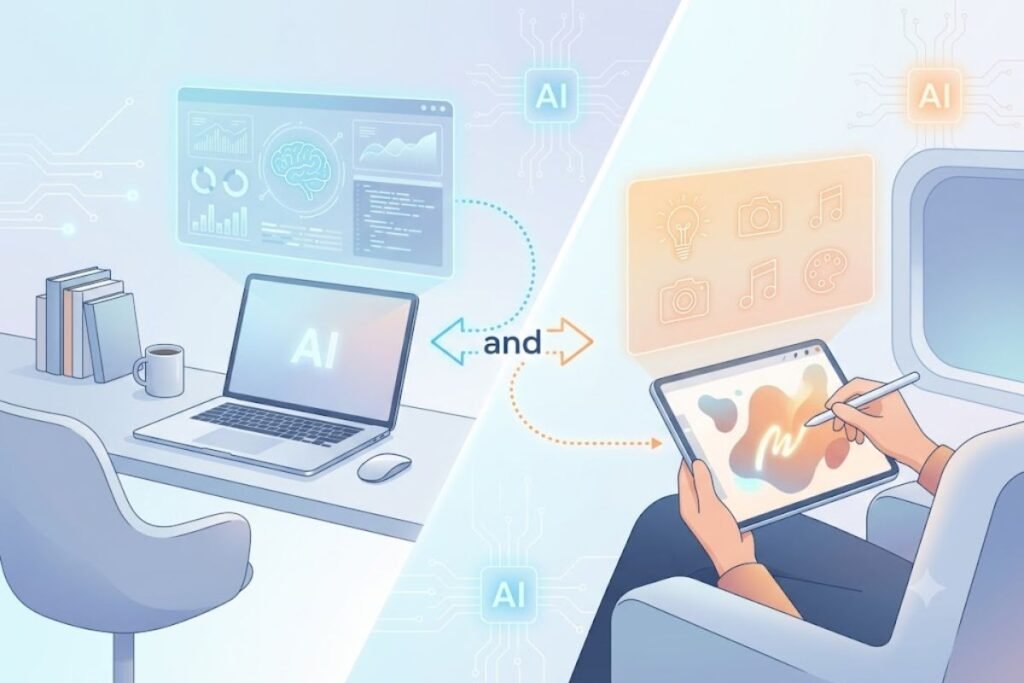
For some users, choosing between a laptop and a tablet is not necessary because the two devices can complement each other. A laptop can serve as the primary work machine for demanding applications, long typing sessions, file management, and multitasking. A tablet can then act as a lightweight secondary device for reading, entertainment, note-taking, travel, and quick communication.
This setup can be particularly useful for people who regularly move between home, office, school, and travel. You can keep demanding work on the laptop while using the tablet when carrying a full computer would be inconvenient.
However, owning both devices also means paying for two pieces of hardware and potentially maintaining separate accessories and charging equipment. It makes the most sense when each device serves a distinct purpose.
If your daily tasks overlap heavily, a versatile laptop or 2-in-1 device may be more economical. If portability and touch interaction are important alongside serious desktop productivity, combining a laptop and tablet can provide the best overall flexibility.
How We Compare Laptops and Tablets
To make a laptop-versus-tablet comparison useful, we look beyond headline specifications and consider how each device performs in everyday scenarios. Important factors include typing comfort, portability, battery behavior, display usability, multitasking, software compatibility, connectivity, and the accessories required for productive use.
For specific device comparisons, testing should include real-world activities such as web browsing with multiple tabs, document editing, video calls, media playback, note-taking, file transfers, and application performance. Battery comparisons should also account for brightness, workload, network connection, and software settings because laboratory and real-world results can vary.
We also consider the complete ownership experience rather than focusing only on hardware specifications. This includes operating system support, accessory costs, repair options, storage flexibility, and compatibility with the applications users actually need.
If a product is reviewed or tested directly, include the test conditions, duration, software versions, and relevant observations. This gives readers enough context to understand how conclusions were reached instead of relying only on manufacturer specifications.
Laptop vs Tablet: Which One Is Right for You?
| Your Priority | Better Choice |
|---|---|
| Programming | Laptop |
| Long-form writing | Laptop |
| Professional software | Laptop |
| Video editing | Usually laptop |
| PC gaming | Laptop |
| Multitasking | Laptop |
| Online classes | Either |
| Handwritten notes | Tablet |
| Reading ebooks | Tablet |
| Streaming | Tablet |
| Frequent travel | Tablet |
| Touchscreen use | Tablet |
| Digital drawing | Tablet |
| Basic web browsing | Either |
| Full-time office work | Laptop |
| Maximum portability | Tablet |
These recommendations are general rather than absolute. A high-end tablet can handle workloads that once required a laptop, while some lightweight laptops provide excellent portability and battery life. The operating system, application compatibility, accessories, and exact hardware configuration can also change the decision.
The safest approach is to identify your three most important tasks and choose the device that handles your most demanding task comfortably. This prevents you from buying a device that works well for entertainment but becomes frustrating when you need it for serious work.
Final Thoughts
There is no universal winner in the laptop vs tablet debate. The right choice depends on the tasks you perform most often, the software you need, and how much portability you value. Choose a laptop when your priorities include professional software, programming, long-form writing, demanding creative work, extensive multitasking, PC gaming, or full-time productivity. Its built-in keyboard, desktop operating system, wider software compatibility, and flexible connectivity make it the more versatile primary computer for many users.
Choose a tablet when you prioritize portability, touchscreen interaction, reading, streaming, handwritten notes, online classes, travel, and lightweight productivity. A tablet can also become more capable when paired with a keyboard, stylus, and other accessories. Before buying, compare the complete setup rather than the device alone. Consider software compatibility, accessories, storage, battery expectations, repairability, operating system support, and your most demanding daily task.
If you still cannot decide, think of it this way: a laptop is generally the better primary work computer, while a tablet is often the better lightweight companion device. For users who need both serious productivity and maximum portability, owning both can make sense.
FAQs
Q: Is a tablet better than a laptop?
Ans: Not necessarily. Tablets offer better portability and touch interaction, while laptops provide greater performance and productivity.
Q: Can students use a tablet instead of a laptop?
Ans: Yes, for note-taking and online learning. However, students in technical or creative fields may benefit more from a laptop.
Q: Which lasts longer, a laptop or a tablet?
Ans: Laptops generally have longer usable lifespans because they offer more powerful hardware and software support.
Q: Is a tablet good for office work?
Ans: For basic office tasks, yes. For advanced productivity and multitasking, a laptop is usually the better choice.
Q: Is a laptop or tablet better for working from home?
Ans: A laptop is generally better for full-time remote work because it offers a physical keyboard, desktop software, multitasking, and broader peripheral support. A tablet can be sufficient for browser-based work, email, video meetings, document review, and other lightweight tasks.
Q: Is an iPad or Android tablet better than a laptop for students?
Ans: It depends on the student’s course requirements. Tablets are excellent for reading, handwritten notes, online classes, and media. A laptop is usually better when students need programming tools, specialized academic software, long-form writing, or advanced multitasking.
Q: Can a tablet replace a laptop for office work?
Ans: A tablet can replace a laptop for basic office tasks, especially when work is browser-based. However, desktop applications, extensive spreadsheets, file management, and complex multitasking may still make a laptop the better choice.
Q: Are tablets cheaper than laptops?
Ans: Entry-level tablets are often cheaper, but the total cost depends on accessories. A tablet used for productivity may require a keyboard, stylus, case, adapters, and additional storage.
Q: Which is better for travel, a laptop or tablet?
Ans: A tablet is usually easier to carry because it is often lighter and more compact. A laptop may be preferable if you need to work extensively while traveling.




2 Comments