 -by
-by Choosing between a Chromebook vs Laptop has become one of the biggest questions for students, professionals, travelers, and home users. Both devices look similar on the outside, but they operate differently and serve different purposes. While Chromebooks focus on simplicity, speed, and cloud computing, traditional laptops provide greater flexibility, compatibility, and computing power.
Today, modern Chromebooks have evolved significantly. They can run Android apps, Linux applications, and many web-based productivity tools. Meanwhile, Windows and macOS laptops continue to dominate industries that require advanced software, gaming, programming, video editing, and professional content creation. If you’re wondering whether a Chromebook or a laptop is the better investment, this comprehensive guide explains every important factor.
You’ll learn about performance, software compatibility, battery life, security, pricing, education, business use, gaming, and much more. Whether you’re buying your first computer or replacing an older device, this guide will help you make the right decision.
What Is the Difference Between a Chromebook and a Laptop?
The biggest Chromebook vs laptop difference is the operating system. A Chromebook runs Google’s ChromeOS, while most laptops use Microsoft Windows, Apple’s macOS, or Linux. Although both devices perform everyday computing tasks, their software ecosystems are entirely different.
| Feature | Chromebook | Traditional Laptop |
| Operating System | ChromeOS | Windows, macOS, Linux |
| Main Usage | Web-based computing | Full desktop computing |
| Software | Web apps, Android apps | Desktop applications |
| Storage | Mostly cloud storage | Large internal storage |
| Performance | Optimized for light tasks | Suitable for all workloads |
| Price | Usually affordable | Budget to premium |
| Gaming | Limited | Excellent (depending on hardware) |
This table provides a quick overview, but each feature deserves a deeper explanation.
What Is a Chromebook?
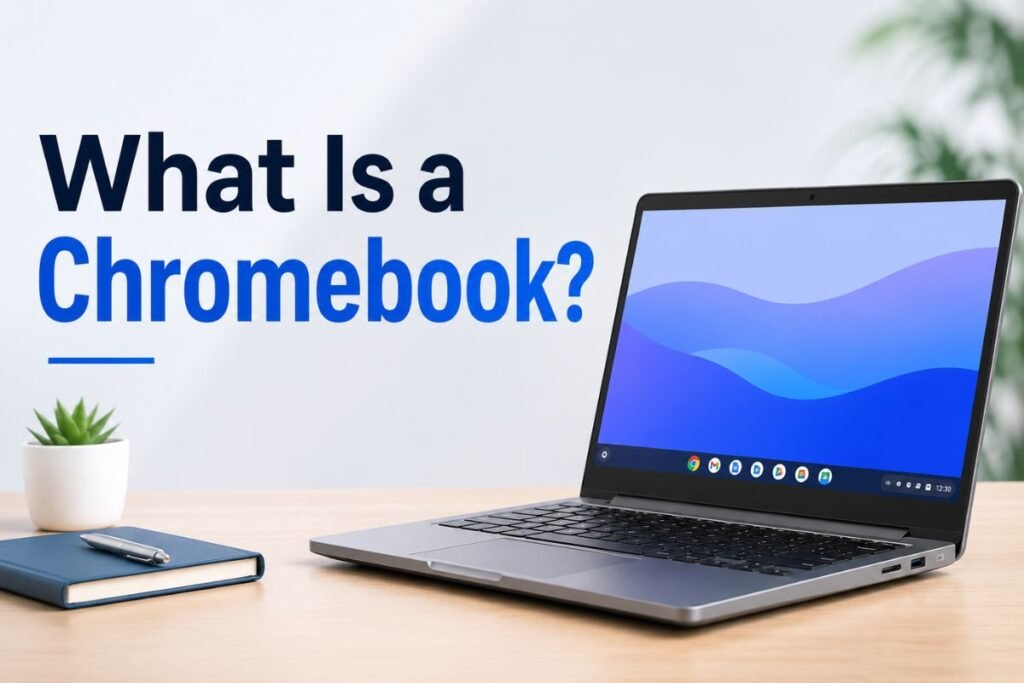
Many people ask what is a chromebook vs laptop because the devices appear nearly identical. A Chromebook is a lightweight computer powered by Google’s ChromeOS. Instead of relying heavily on locally installed software, it emphasizes web applications and cloud services.
ChromeOS was designed to be:
- Fast
- Secure
- Easy to manage
- Lightweight
- Energy efficient
Most users spend their time inside Google Chrome, using applications like:
- Google Docs
- Google Sheets
- Gmail
- Google Drive
- YouTube
- Zoom
- Microsoft 365 Online
- Canva
- Slack
Modern Chromebooks also support:
- Android applications
- Linux software
- Progressive Web Apps (PWAs)
Because ChromeOS requires fewer system resources, even inexpensive Chromebooks often feel surprisingly responsive.
What Is a Traditional Laptop?
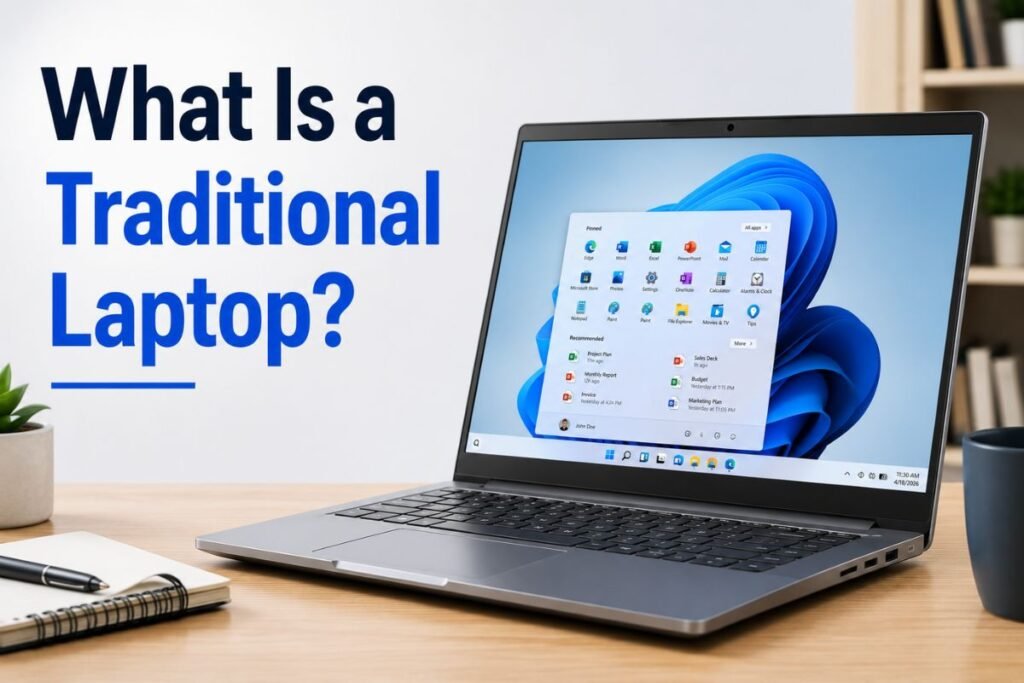
A traditional laptop refers to computers running:
- Windows 11
- Windows 10
- macOS
- Linux
Unlike Chromebooks, laptops can install almost any desktop application.
Examples include:
- Adobe Photoshop
- Premiere Pro
- Microsoft Office
- AutoCAD
- Visual Studio
- Blender
- MATLAB
- DaVinci Resolve
- Steam
- Epic Games Launcher
Traditional laptops come in many categories:
- Budget laptops
- Student laptops
- Business laptops
- Gaming laptops
- Ultrabooks
- Mobile workstations
Their versatility makes them suitable for almost every computing task.
Chromebook vs Laptop: Understanding the Operating Systems
The operating system influences nearly every aspect of user experience.
ChromeOS
ChromeOS focuses on:
- Fast startup
- Automatic updates
- Built-in security
- Cloud synchronization
- Simplicity
Most work happens through a web browser.
Advantages include:
- Minimal maintenance
- Automatic backups
- Excellent battery optimization
- Fast performance on modest hardware
Windows
Windows remains the world’s most popular desktop operating system.
It supports:
- Millions of applications
- Gaming
- Professional software
- Business tools
- Enterprise management
Because of this flexibility, Windows laptops remain the preferred choice for many professionals.
macOS
Apple’s macOS offers:
- Excellent performance
- Long software support
- Creative applications
- Strong security
- Seamless Apple ecosystem integration
Although MacBooks are technically laptops rather than Chromebooks, they’re worth mentioning because many buyers compare all three options.
Chromebook vs Windows Laptop
One of the most searched comparisons is Chromebook vs Windows laptop. Although both devices look similar, their intended users differ significantly.
Chromebook Strengths
- Faster startup
- Better battery life
- Lower prices
- Automatic updates
- Simple interface
- Excellent security
Windows Laptop Strengths
- Professional software
- Advanced multitasking
- Gaming
- Video editing
- Programming
- Large storage options
If your daily work happens inside a browser, a Chromebook may meet all your needs. However, if your work depends on desktop software, Windows remains the stronger choice.
Windows 10 Laptop vs Chromebook
Although Windows 11 is now the newest version, millions of people still compare Windows 10 laptop vs chromebook before purchasing a new device.
Windows 10 laptops provide:
- Full software compatibility
- Legacy application support
- Better peripheral compatibility
- More customization
Chromebooks provide:
- Faster updates
- Simpler interface
- Less maintenance
- Lower risk of malware
Windows remains ideal for advanced computing, while ChromeOS excels in simplicity.
Hardware Comparison
Not every Chromebook has low-end hardware.
Today, premium Chromebooks feature:
- Intel Core Ultra processors
- Intel Core i7 CPUs
- AMD Ryzen chips
- 16GB RAM
- High-resolution displays
- SSD storage
- Premium aluminum builds
Traditional laptops, however, offer a much wider range of hardware configurations.
You can purchase laptops with:
- Dedicated graphics cards
- 64GB RAM
- 4TB SSD storage
- Professional GPUs
- OLED displays
- Touchscreen options
Laptops offer more flexibility for users who need maximum performance.
Performance Comparison
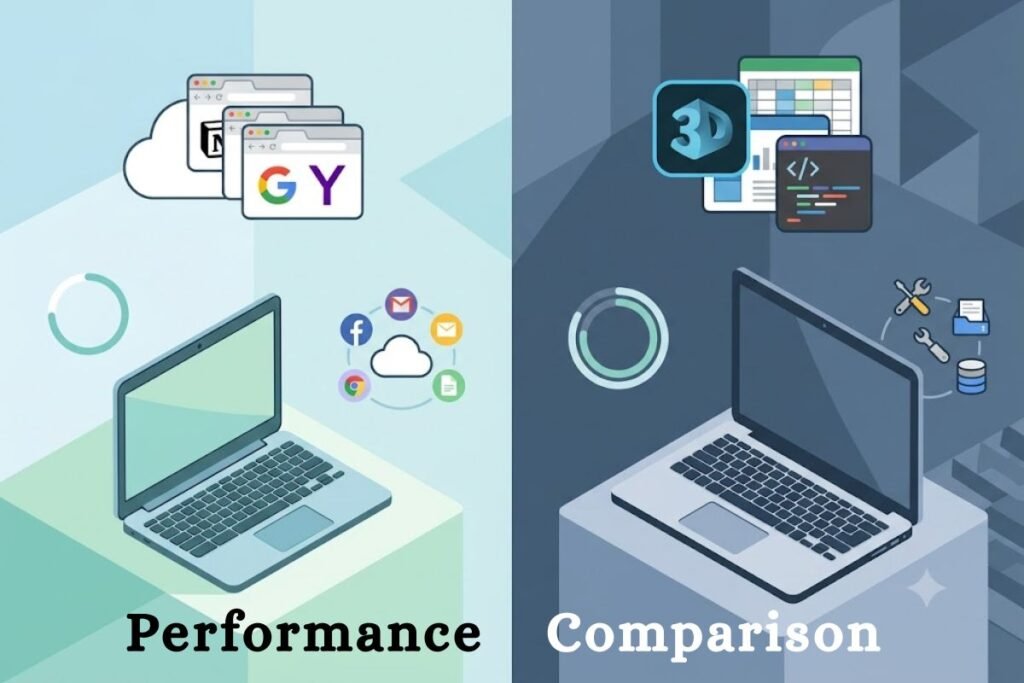
Performance depends on the workload.
Chromebook Performance
Chromebooks excel at:
- Web browsing
- Streaming
- Video conferencing
- Online classes
- Document editing
ChromeOS is optimized to run smoothly even on entry-level hardware.
Laptop Performance
Traditional laptops outperform Chromebooks in:
- Video editing
- Programming
- Graphic design
- Engineering software
- Machine learning
- Gaming
- Virtual machines
Heavy multitasking also favors Windows and macOS laptops.
Software Compatibility
Software compatibility often determines the best purchase.
Chromebooks support:
- Google Workspace
- Microsoft 365 Web
- Android apps
- Linux applications
- Web applications
Windows laptops support:
- Desktop software
- Professional creative tools
- Enterprise applications
- CAD software
- Development environments
- Thousands of games
If software compatibility is your highest priority, laptops remain the safer investment.
Cloud Computing vs Local Computing
One defining feature of Chromebooks vs traditional laptops comparison is how they manage files. Chromebooks encourage cloud storage using Google Drive.
Benefits include:
- Automatic backup
- Easy file sharing
- Access from multiple devices
- Less storage management
Traditional laptops typically rely on:
- SSD drives
- External storage
- NAS devices
- Cloud storage (optional)
Many professionals combine both approaches.
Security Comparison
ChromeOS is widely recognized for its security.
Security features include:
- Verified Boot
- Automatic updates
- Sandboxed applications
- Encryption
- Recovery mode
Windows has improved dramatically with:
- Microsoft Defender
- BitLocker
- Secure Boot
- Windows Hello
Both platforms are secure when kept updated, although ChromeOS generally requires less maintenance for everyday users.
Which Users Benefit Most?
Choosing between Chromebooks vs laptops depends largely on how you use your computer. A Chromebook is often the better choice if you mainly browse the web, attend online classes, write documents, join video meetings, or stream entertainment. It offers a simple, fast, and secure experience with minimal maintenance.
A traditional laptop is better suited for users who need professional software, advanced multitasking, gaming, programming, engineering applications, or creative work such as video editing and graphic design. Understanding your daily workflow is the first step toward making the right purchase.
Helpful Technology Resources
To explore more computer buying guides, technology comparisons, and gadget reviews, visit Tech All World and Techh AtoZ for regularly updated content.
If you also enjoy discovering great places to eat while traveling, browse Restaurent.net for restaurant recommendations. Planning a coastal vacation? Visit Beach Near to explore beautiful beaches and nearby attractions around the world.
Chromebook vs Laptop for Students
One of the most popular buying questions today is Chromebook vs laptop for students. Educational institutions around the world increasingly recommend Chromebooks because they are affordable, secure, and easy to manage. However, many college and university students still require the flexibility of a traditional laptop. The right choice depends on your course, software requirements, and study habits.
Why Students Choose Chromebooks
Chromebooks are designed for online learning and everyday academic tasks. They are lightweight, start quickly, and automatically save work to the cloud.
They are ideal for:
- Taking notes
- Online research
- Google Classroom
- Microsoft 365 Online
- Zoom and Google Meet
- Writing assignments
- Email communication
- Watching educational videos
Since ChromeOS updates automatically, students spend less time troubleshooting software and more time studying.
Why Students Choose Laptops
Traditional laptops provide greater flexibility for higher education and specialized courses.
A Windows or macOS laptop is better for:
- Engineering students
- Medical students
- Architecture programs
- Computer science
- Graphic design
- Video production
- Accounting software
- Programming projects
Many universities require applications that only run on Windows or macOS.
Student Comparison Table
| Student Need | Chromebook | Laptop |
| Elementary School | ⭐⭐⭐⭐⭐ | ⭐⭐⭐⭐ |
| High School | ⭐⭐⭐⭐⭐ | ⭐⭐⭐⭐ |
| College | ⭐⭐⭐⭐ | ⭐⭐⭐⭐⭐ |
| Engineering | ⭐⭐ | ⭐⭐⭐⭐⭐ |
| Graphic Design | ⭐⭐ | ⭐⭐⭐⭐⭐ |
| Programming | ⭐⭐⭐ | ⭐⭐⭐⭐⭐ |
| Online Classes | ⭐⭐⭐⭐⭐ | ⭐⭐⭐⭐⭐ |
If your coursework mainly involves web applications, a Chromebook offers excellent value. If your degree requires specialized software, a laptop is the safer investment.
Chromebook vs Laptop Pros and Cons
Understanding the Chromebook vs laptop pros and cons helps buyers make an informed decision.
Chromebook Pros
- Lower purchase price
- Excellent battery life
- Fast startup
- Automatic updates
- Built-in virus protection
- Lightweight design
- Quiet operation
- Easy cloud synchronization
Chromebook Cons
- Limited desktop software
- Less suitable for gaming
- Smaller local storage
- Offline functionality is more limited
- Some professional applications are unavailable
Laptop Pros
- Full desktop software support
- Better gaming performance
- Powerful hardware options
- Large internal storage
- Extensive upgrade possibilities
- Better compatibility with accessories
- Ideal for creative professionals
Laptop Cons
- Higher cost
- More maintenance
- Greater malware risk without updates
- Battery life varies significantly
- Larger and heavier models can be less portable
Neither option is universally better. Your needs determine the right choice.
Chromebook vs Laptop vs Tablet
Many buyers now compare Chromebook vs laptop vs tablet before purchasing a new device. Each category serves a different purpose.
| Feature | Chromebook | Laptop | Tablet |
| Productivity | Excellent | Excellent | Good |
| Gaming | Fair | Excellent | Good |
| Portability | Excellent | Good | Excellent |
| Battery Life | Excellent | Good | Excellent |
| Professional Software | Limited | Excellent | Limited |
| Drawing | Limited | Good | Excellent (with stylus) |
| Price | Affordable | Wide Range | Affordable to Premium |
Choose a Chromebook if:
- You work online.
- You use Google Workspace.
- You want affordability.
- You travel frequently.
Choose a Laptop if:
- You need professional software.
- You play PC games.
- You edit videos.
- You develop software.
Choose a Tablet if:
- You prioritize portability.
- You enjoy reading.
- You sketch or draw.
- You consume media frequently.
Battery Life Comparison
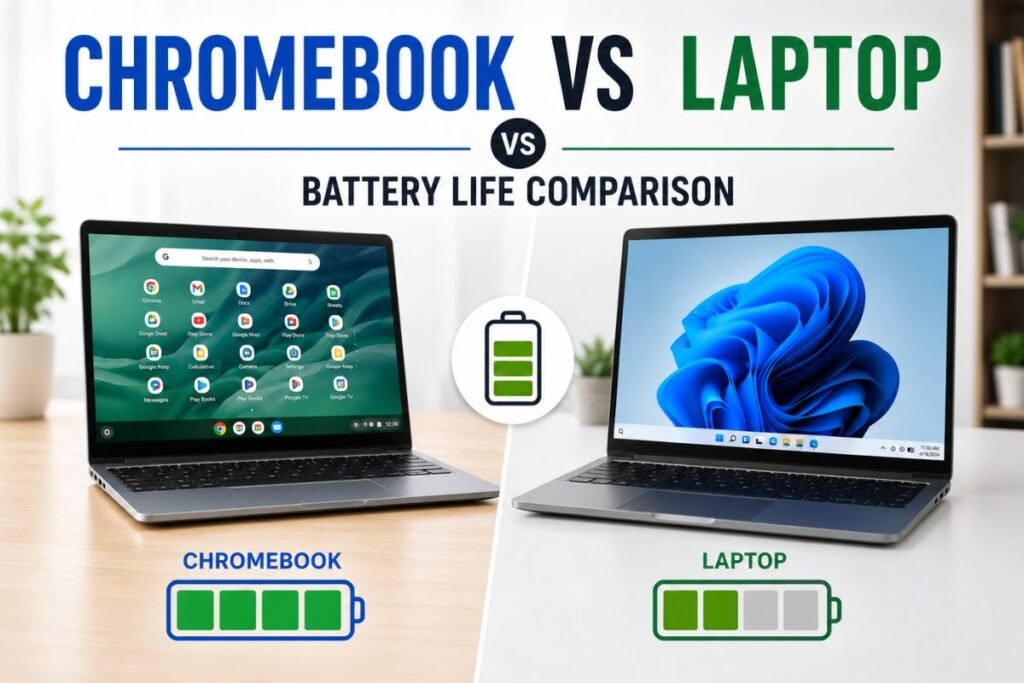
One of Chromebooks’ greatest advantages is their long battery life.
Chromebook Battery Life
Most modern Chromebooks last:
- 10–15 hours
- Some premium models exceed 16 hours
ChromeOS consumes fewer resources, making it highly energy efficient.
Laptop Battery Life
Windows and macOS laptops vary widely.
Typical battery life ranges from:
- Budget laptops: 5–8 hours
- Business laptops: 8–12 hours
- Premium ultrabooks: 12–18 hours
- Gaming laptops: 3–7 hours
If long battery life is your priority, Chromebooks often provide the best value.
Display Quality

Modern devices offer impressive screens regardless of operating system.
Chromebook Displays
Available options include:
- HD
- Full HD
- QHD
- 4K
- IPS panels
- Touchscreens
Premium Chromebooks now rival many ultrabooks.
Laptop Displays
Traditional laptops offer even more options.
These include:
- OLED
- Mini-LED
- High refresh rates
- HDR
- Professional color accuracy
- Wide color gamut
Creative professionals generally benefit from premium laptop displays.
Keyboard and Trackpad Experience
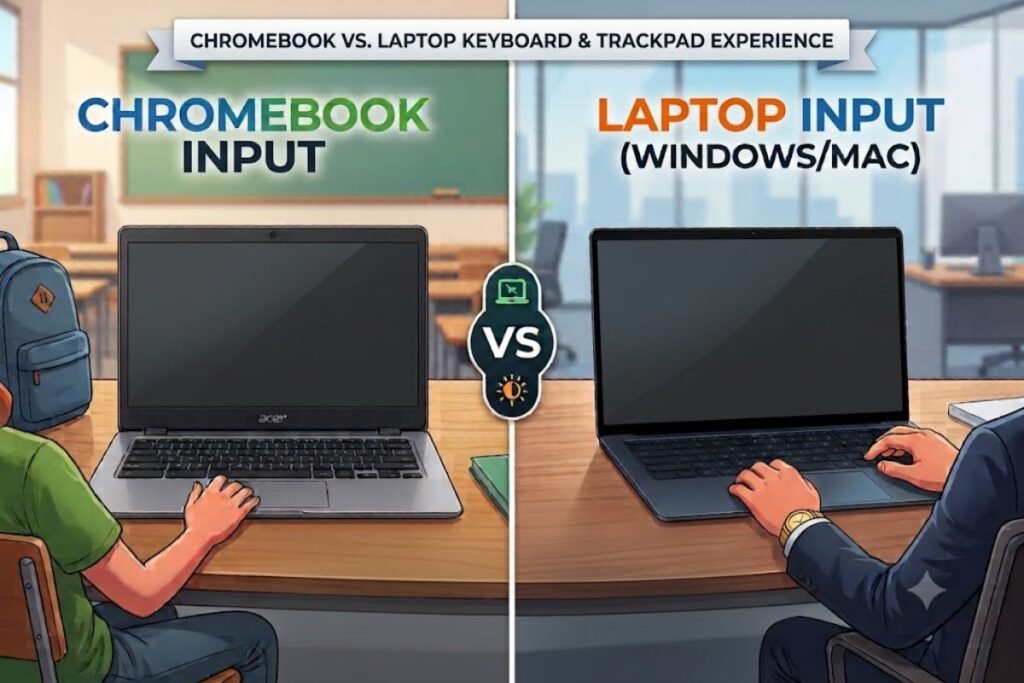
Comfort matters if you type for hours each day.
Most premium Chromebooks feature:
- Comfortable keyboards
- Precision touchpads
- Backlit keys
- Quiet typing
Business and premium laptops often improve further with:
- Better key travel
- Larger touchpads
- Dedicated function keys
- Advanced gesture support
Neither category has a clear winner, as quality depends more on the specific model than the operating system.
Storage Options
Storage represents another major difference.
Chromebook Storage
Typical configurations include:
- 64GB
- 128GB
- 256GB
ChromeOS relies heavily on cloud storage.
Google Drive integration makes file management simple.
Laptop Storage
Traditional laptops commonly offer:
- 256GB SSD
- 512GB SSD
- 1TB SSD
- 2TB SSD
- External storage compatibility
Large local storage is valuable for photographers, gamers, and video editors.
Gaming Performance
Gaming remains one of the biggest differences between Chromebooks and laptops.
Chromebook Gaming
Gaming options include:
- Android games
- Browser games
- Xbox Cloud Gaming
- NVIDIA GeForce NOW
- Steam (supported on select models)
Casual gaming works well, but hardware limitations affect demanding titles.
Laptop Gaming
Gaming laptops support:
- AAA games
- Virtual Reality
- Ray tracing
- High refresh rates
- Dedicated GPUs
- Advanced cooling systems
If gaming is your primary goal, a Windows gaming laptop is the better choice.
Programming and Software Development
Many developers wonder if ChromeOS can take the place of Linux or Windows. Linux development environments are now compatible with Chromebooks.
Developers can use:
- Visual Studio Code
- Git
- Python
- Java
- Docker (limited)
- Terminal tools
However, professional software development still favors Windows, Linux, and macOS because they offer broader compatibility and more powerful hardware.
Creative Work
Content creators typically require demanding applications.
Professional creators use software such as:
- Adobe Photoshop
- Adobe Premiere Pro
- Lightroom
- Blender
- DaVinci Resolve
- Autodesk products
These applications work best on traditional laptops equipped with powerful CPUs, dedicated graphics cards, and larger amounts of RAM. Chromebooks perform well for cloud-based editing using tools like Canva or Adobe Express but are not ideal for heavy creative workflows.
Business and Professional Use
Businesses increasingly deploy Chromebooks because they are secure and easy to manage.
Chromebook Advantages for Businesses
- Lower IT costs
- Automatic security updates
- Fast deployment
- Centralized management
- Cloud-first workflow
Laptop Advantages for Businesses
Traditional laptops remain essential when employees rely on:
- Microsoft Office desktop applications
- Accounting software
- Enterprise resource planning (ERP) systems
- CAD software
- Database management tools
Organizations should choose devices based on employee software requirements.
Remote Work Experience
Remote work has increased demand for reliable portable computers.
Both Chromebooks and laptops support:
- Zoom
- Google Meet
- Microsoft Teams
- Slack
- Dropbox
- Google Drive
For web-based remote work, a Chromebook is adequate, but if your job necessitates heavy multitasking or desktop software, a laptop is better.
Multimedia and Entertainment
Both device types are excellent for entertainment.
You can stream:
- Netflix
- Disney+
- YouTube
- Amazon Prime Video
- Spotify
Premium laptops may offer better speakers and more powerful graphics, while Chromebooks provide long battery life for watching content on the go.
HP Chromebook vs HP Laptop
Many buyers compare HP Chromebook vs HP laptop because HP offers strong options in both categories.
HP Chromebooks
Best for:
- Students
- Home users
- Travelers
- Budget-conscious buyers
Benefits include:
- Affordable pricing
- Long battery life
- Lightweight construction
- ChromeOS simplicity
HP Laptops
Best for:
- Professionals
- Gamers
- Business users
- Creators
Benefits include:
- Windows compatibility
- More powerful processors
- Dedicated graphics options
- Greater storage capacity
If you mainly browse the web and work online, an HP Chromebook is an excellent choice. For demanding software and multitasking, an HP laptop offers better long-term flexibility.
Chromebook vs HP Laptop
When comparing Chromebooks with HP laptops, the operating system is frequently more important than the hardware. HP produces Windows laptops and Chromebooks with comparable construction quality. Software compatibility and intended use are the main distinctions between ChromeOS and Windows.
HP Chromebook vs Laptop
When evaluating HP Chromebook vs laptop, consider your daily tasks instead of focusing only on specifications. Choose an HP Chromebook if you value affordability, security, and cloud-based productivity. Choose an HP laptop if you need desktop applications, gaming performance, or advanced multitasking.
Buying Guide: Which Device Should You Choose?
Choose a Chromebook if you:
- Primarily browse the internet
- Use Google Workspace
- Attend online classes
- Want a lightweight travel companion
- Need long battery life
- Have a limited budget
Choose a Laptop if you:
- Edit photos or videos
- Develop software
- Play modern PC games
- Use professional applications
- Need large local storage
- Require maximum performance
Helpful Resources
For more technology buying guides, product reviews, and computer comparisons, visit techallworld.com and techhatoz.com. If you’re traveling with your new device, discover local dining recommendations on restaurent.net, and explore beautiful coastal destinations with beachnear.net.
Real-World Use Cases
Understanding how different users benefit from each device makes the difference chromebook vs laptop much clearer. Instead of focusing only on specifications, think about how you’ll use your computer every day.
Student
A Chromebook is an excellent option for students who mainly use Google Classroom, Microsoft 365 Online, web research, and video conferencing. It is lightweight, secure, and offers all-day battery life.
Office Worker
Professionals using web-based business tools, email, spreadsheets, and cloud collaboration can work efficiently on a Chromebook. However, if your company relies on specialized Windows software, a traditional laptop is the better option.
Graphic Designer
Creative professionals should choose a Windows or macOS laptop with a powerful processor, dedicated graphics card, and color-accurate display. Professional design software performs much better on traditional laptops.
Programmer
Chromebooks support Linux development environments, but Windows, macOS, and Linux laptops provide greater compatibility for software development, virtualization, and advanced coding projects.
Gamer
A Windows laptop with a dedicated GPU is a good investment for gamers. The majority of Chromebooks lack the hardware needed for modern PC games.
Frequent Traveler
Because Chromebooks are lightweight, have a long battery life, and start up quickly, they are frequently appreciated by travelers. Additionally, its cloud-based process greatly simplifies file access from any location.
Chromebook vs Windows 10 Laptop
Although Windows 11 is becoming the standard, many users still compare Chromebook vs Windows 10 laptop because millions of Windows 10 devices remain in use.
Chromebook Advantages
- Faster startup
- Automatic updates
- Better battery efficiency
- Strong built-in security
- Lower maintenance
- Affordable pricing
Windows 10 Laptop Advantages
- Runs legacy software
- Better gaming support
- Professional desktop applications
- Extensive hardware compatibility
- Larger storage options
For users who mainly browse the web, a Chromebook often feels faster despite having less powerful hardware. Users who rely on desktop applications will still benefit more from Windows.
What Is Chromebook vs Laptop?
Many first-time purchasers look into the differences between laptops and Chromebooks because they seek a straightforward explanation. A notebook that runs Google’s ChromeOS operating system rather than Windows or macOS is called a Chromebook. It is best suited for web applications, cloud storage, and internet-based jobs. A conventional laptop usually supports a far greater variety of desktop applications and runs Windows, macOS, or Linux.
In short:
- Chromebook = cloud-first computing
- Laptop = full desktop computing
Chromebooks vs Laptop
The comparison chromebooks vs laptop often focuses on value rather than raw performance.
Chromebooks generally provide:
- Lower prices
- Excellent security
- Easy maintenance
- Long battery life
- Smooth web performance
Traditional laptops provide:
- Greater flexibility
- Powerful hardware
- Professional software compatibility
- Gaming capabilities
- Upgrade options on many models
For casual users, Chromebooks deliver outstanding value. Power users usually benefit more from a traditional laptop.
Chromebook vs Laptops
The phrase Chromebook vs laptops highlights the broader market comparison.
Today’s laptops include:
- Budget notebooks
- Premium ultrabooks
- Business laptops
- Gaming systems
- Mobile workstations
Chromebooks compete primarily in the budget and education markets, but premium models now offer excellent displays, premium materials, and fast processors that rival many mid-range laptops.
Chromebook Buying Checklist
Before purchasing, ask yourself the following questions:
- Do I mostly use web applications?
- Will I install desktop software?
- Do I need advanced gaming?
- How important is battery life?
- Do I travel frequently?
- How much storage do I need?
- Will I edit photos or videos?
- Does my school or workplace require Windows applications?
Answering these questions will help you choose the right device with confidence.
Common Buying Mistakes to Avoid
Many buyers regret their purchase because they overlook their actual needs.
Avoid these common mistakes:
- Buying the cheapest model without checking RAM and storage.
- Assuming every application works on ChromeOS.
- Ignoring software requirements for school or work.
- Purchasing a gaming Chromebook expecting desktop-level performance.
- Paying for expensive hardware that you may never fully use.
Research your workload before making a final decision.
Chromebook vs Laptop: Side-by-Side Comparison
| Feature | Chromebook | Traditional Laptop |
| Operating System | ChromeOS | Windows, macOS, Linux |
| Startup Speed | Excellent | Very Good |
| Battery Life | Excellent | Good to Excellent |
| Security | Excellent | Very Good |
| Price | Budget-Friendly | Budget to Premium |
| Gaming | Limited | Excellent |
| Programming | Basic to Moderate | Excellent |
| Video Editing | Basic | Excellent |
| Graphic Design | Basic | Excellent |
| Cloud Computing | Excellent | Excellent |
| Offline Productivity | Good | Excellent |
| Storage Capacity | Limited | Large Options |
| Software Compatibility | Moderate | Excellent |
| Upgrade Options | Limited | Better (varies by model) |
| Best for Students | Excellent | Excellent |
| Best for Professionals | Good | Excellent |
Which One Offers Better Value?
The answer depends on your priorities.
A Chromebook offers outstanding value if you want:
- Affordable pricing
- Fast performance for web tasks
- Long battery life
- Easy maintenance
- Strong security
A traditional laptop offers better value if you need:
- Professional software
- Gaming
- Advanced multitasking
- Large storage
- High-end performance
- Long-term flexibility
Because a laptop can perform a greater variety of duties over several years, many consumers find that spending more for one makes sense.
Expert Recommendation
Choose a Chromebook if you:
- Primarily browse the web.
- Use Google Workspace.
- Attend online classes.
- Travel often.
- Prefer a lightweight and secure device.
- Have a limited budget.
Choose a traditional laptop if you:
- Edit videos or photos.
- Develop software.
- Play PC games.
- Run professional applications.
- Need maximum performance.
- Store large amounts of data locally.
There is no universal winner in the Chromebook vs Laptop debate. The best choice depends on how you work, learn, and entertain yourself.
Conclusion
The Chromebook vs Laptop comparison ultimately comes down to your personal needs rather than which device is more powerful. Chromebooks excel in affordability, simplicity, battery life, and cloud-based productivity. They are an excellent choice for students, travelers, casual users, and anyone who spends most of their time online.
Traditional laptops remain the best option for professionals, gamers, developers, engineers, designers, and users who depend on advanced desktop applications or demanding workloads. Before making your purchase, evaluate the software you need, your budget, and the tasks you perform most often. By matching the device to your workflow, you’ll enjoy better performance, greater productivity, and a computer that continues to meet your needs for years to come.
For more technology buying guides, product reviews, and in-depth comparisons, visit Tech All World and Techh AtoZ. If you’re planning a trip while shopping for new tech, explore dining recommendations on Restaurent and discover scenic coastal destinations through Beach Near.
FAQs
Q1. Is a Chromebook better than a laptop?
Ans: A Chromebook is better for web browsing, online learning, and cloud-based productivity. A traditional laptop is better for gaming, programming, video editing, and professional software.
Q2. Can a Chromebook replace a Windows laptop?
Ans: Yes, if your work mainly involves web applications, email, streaming, and online productivity tools. If you rely on Windows-only desktop software, a Chromebook cannot fully replace a Windows laptop.
Q3. Are Chromebooks good for college students?
Ans: Yes. Chromebooks are excellent for many college students, especially those using browser-based tools. Students in engineering, architecture, graphic design, or computer science may need a Windows or macOS laptop for specialized software.
Q4. Do Chromebooks work without an internet connection?
Ans: Yes. Many apps, including Google Docs, Sheets, Gmail (offline mode), and some Android applications, support offline use. However, ChromeOS is designed to deliver the best experience with an internet connection.
Q5. Which lasts longer: a Chromebook or a laptop?
Ans: Both can last several years with proper care. Chromebooks typically receive automatic ChromeOS updates for many years, while the lifespan of a traditional laptop depends on hardware quality, operating system support, and maintenance.
Q6. Should I buy a Chromebook or a laptop in 2026?
Ans: Buy a Chromebook if you want an affordable, secure, and lightweight computer for everyday tasks. Choose a traditional laptop if you need professional software, advanced multitasking, gaming, or content creation.



2 Comments