 -by
-by Artificial Intelligence (AI) is changing how people create digital content. Today, anyone can transform a simple image into a professional-looking video within minutes using free AI video generators. Whether you’re a content creator, marketer, business owner, student, or social media enthusiast, AI-powered image-to-video tools make video creation easier than ever.
Instead of spending hours editing videos manually, AI can animate photos, add motion effects, generate transitions, create realistic camera movements, and even produce engaging visual stories automatically. In this guide, you’ll learn what a free AI Video Generator from Image-to-video is, how they work, their benefits, and the best free AI video generators available today.
What Is the Best Free AI Image-to-Video Generator?
The best free AI image-to-video generator depends on what you want to create. Beginners may prefer simple platforms such as Canva or CapCut, while creators looking for more advanced AI animation and cinematic effects may prefer tools such as Pika or Runway. Leonardo AI can also be useful for creators who want to combine AI-generated images with animation.
Before choosing a tool, check its current free-plan limits, video quality, generation credits, watermark policy, export options, and commercial-use terms. A tool that appears free may limit the number of videos you can create or reserve advanced features for paid plans.
For the best results, start with a high-quality image, use a clear motion prompt when available, and review the generated video for unnatural movement, flickering, or distorted objects before publishing it.
What Is an AI Video Generator from an Image?
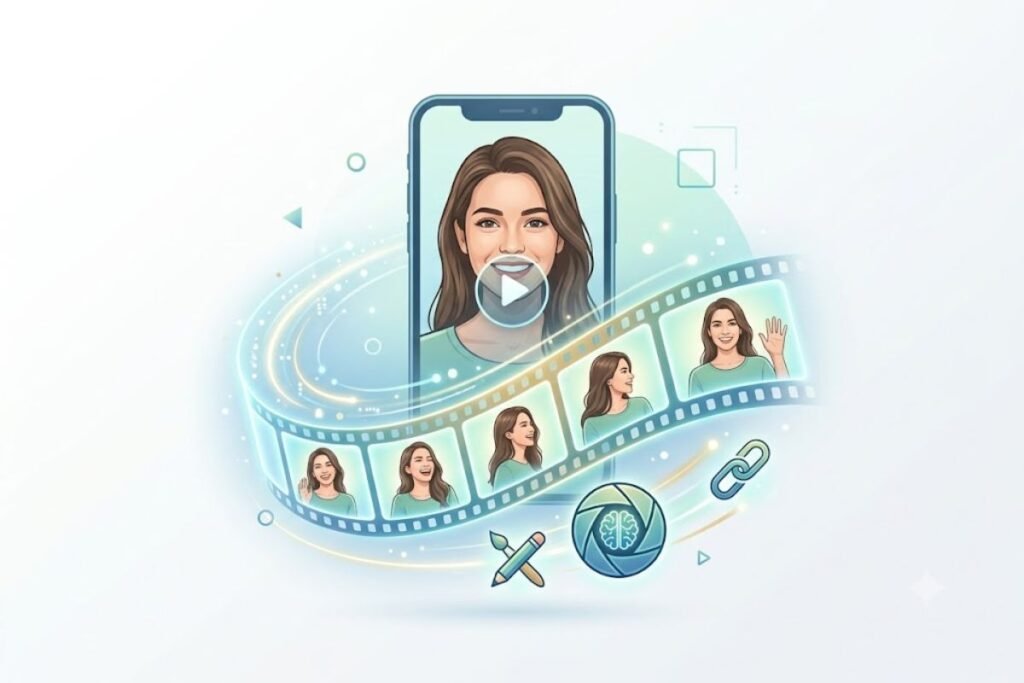
A free AI Video Generator from Image is a software tool that converts static photos into dynamic videos using artificial intelligence.
These tools analyze an image and automatically add:
- Motion effects
- Camera zoom and pan
- Facial animations
- Background movement
- Visual transitions
- AI-generated scenes
- Sound and music integration
The result is a professional video created from one or multiple images without requiring advanced editing skills.
Why AI Image-to-Video Generators Are Popular
Video content dominates social media, websites, and digital marketing campaigns. A free AI Video Generator from Image helps users create engaging videos quickly because it:
- Save time
- Reduces editing costs
- Requires no professional skills
- Improves content engagement
- Supports social media marketing
- Enhance storytelling
Many creators use AI-generated videos on YouTube, Instagram, TikTok, Facebook, and business websites.
When creating and saving AI-generated videos, having the right storage solution can make a big difference, especially when working with large video files. Learn more about external SSD vs HDD to choose the right storage option for faster file transfers, better performance, and reliable video storage.
What Does “Free” Mean in AI Video Generators?
The word “free” does not always mean unlimited video generation. AI video platforms commonly use different free-access models, so it is important to understand what you are actually getting before choosing a tool.
A free AI video generator may offer:
- Free video generations with daily or monthly limits
- A limited number of AI credits
- Free access to basic video features
- A free trial for new users
- Watermarked video exports
- Limited video duration
- Lower export resolution
- Restricted access to advanced AI models
- Premium features available only through a paid subscription
Free plans are useful for testing an AI video generator and creating occasional content. However, users producing videos regularly should check the current pricing and usage limits of each platform before relying on it for professional or commercial projects.
How AI Image-to-Video Technology Works

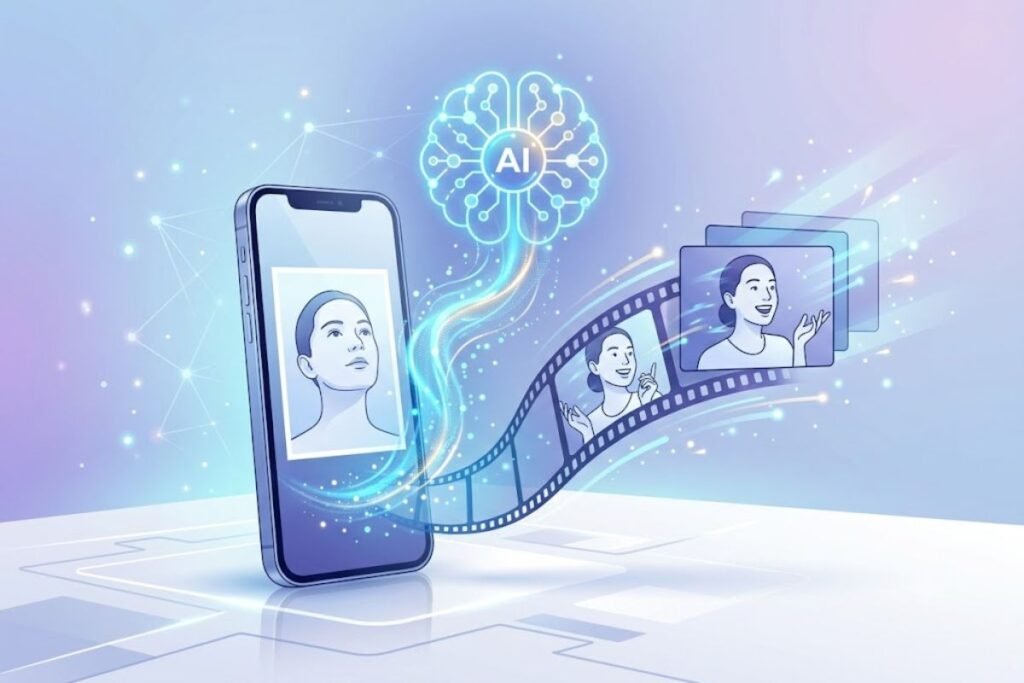
AI video generation uses machine learning and computer vision technologies. The process typically includes:
Image Analysis
The AI identifies objects, people, backgrounds, and visual elements inside the image.
Motion Prediction
The system predicts realistic movement patterns to create natural animations.
Scene Enhancement
AI adds effects such as:
- Camera movements
- Depth simulation
- Lighting improvements
- Visual transitions
Video Rendering
The tool generates a finished video file optimized for different platforms. Many modern platforms also integrate AI video editing software to improve the final result automatically.
The rapid growth of AI video generation is part of a broader technology revolution led by major innovators. To learn more about the companies shaping the global tech industry, check out our guide to the top tech companies in the world.
Image-to-Video vs Text-to-Video: What’s the Difference?
Image-to-video and text-to-video are both AI video generation methods, but they start with different types of input.
Image-to-Video
Image-to-video tools begin with an existing image and add movement, camera effects, depth, or other animations. They are useful when you already have a product photo, portrait, illustration, or landscape that you want to animate.
Text-to-Video
Text-to-video tools generate a video primarily from a written description. Instead of providing an existing image, users describe the scene, characters, actions, and visual style they want.
Which One Should You Use?
Choose image-to-video when you want to preserve a specific image or visual identity. Choose text-to-video when you want AI to create a new scene from your written idea. For product marketing, photography animation, portraits, and existing artwork, image-to-video is often the more suitable starting point.
AI-generated product videos can also support personalized shopping experiences by helping brands create more engaging and targeted content for different customer segments. For more strategies, check out our guide to e-commerce personalization examples.
How to Turn an Image Into a Video With AI
Creating a video from a photo does not require advanced video editing skills. Most AI image-to-video platforms follow a simple workflow.
Step 1: Choose an AI Image-to-Video Generator
Select a platform based on your experience level, desired video style, available free credits, output quality, and editing requirements.
Step 2: Upload a High-Quality Image
Choose a clear image with a well-defined subject. Higher-quality input images generally give the AI more visual information to work with.
Step 3: Select Image-to-Video
Choose the platform’s image-to-video or image animation feature. Some tools may allow you to select an AI model or video style.
Step 4: Add a Motion Prompt
If the platform supports prompts, describe how you want the image to move. For example, you can request a slow camera zoom, subtle background movement, or a cinematic camera pan.
Step 5: Select Video Settings
Choose the appropriate aspect ratio, video duration, resolution, and other available settings based on where you plan to publish the video.
Step 6: Generate the Video
Start the generation process and allow the AI to create the animation. Generation time can vary depending on the platform, model, video length, and current server demand.
Step 7: Review the Result
Check the video carefully for unnatural movement, distorted faces, flickering, object deformation, or other AI-generated artifacts.
Step 8: Edit the Video
Add captions, music, voiceovers, transitions, branding, or other elements if necessary.
Step 9: Export and Publish
Export the final video in a format suitable for your target platform and review the platform’s current content and copyright requirements before publishing.
Creating AI videos often involves writing prompts, scripts, captions, and other text efficiently, so understanding your average typing speed can help you improve your overall content creation workflow.
Best AI Image-to-Video Prompts for Better Results
A clear motion prompt can help an AI video generator understand how you want a static image to move. Instead of describing the entire image again, focus on movement, camera direction, speed, lighting, and visual style.
Product Video Prompt
Slow cinematic camera push-in toward the product, subtle product movement, realistic studio lighting, smooth motion, clean background, professional commercial style.
Landscape Video Prompt
Slow cinematic camera movement through the landscape, gentle movement in trees and clouds, realistic lighting, natural depth, smooth motion, cinematic atmosphere.
Portrait Video Prompt
Subtle natural facial movement, gentle blinking, slight camera push-in, realistic lighting, smooth motion, preserve facial identity and image details.
Food Video Prompt
Slow camera push-in toward the dish, subtle movement of steam, realistic lighting, appetizing presentation, shallow depth of field, smooth cinematic motion.
Social Media Product Prompt
Fast but smooth camera movement, dynamic product focus, subtle background motion, modern advertising style, high-energy social media video, clean and realistic animation.
Keep prompts specific but concise. Avoid requesting too many complicated movements at once because excessive instructions can increase the chance of unnatural results.
How We Evaluate Free AI Image-to-Video Generators
Not every AI video generator produces the same results. When comparing image-to-video tools, consider several factors beyond basic video generation.
Image-to-Video Quality
A good tool should create natural movement while preserving the important details of the original image.
Motion Realism
Look for smooth camera movement, realistic object animation, and minimal distortion.
Ease of Use
Beginners should be able to upload an image, choose settings, and generate a video without complicated editing steps.
Free Access
Check how many generations, credits, exports, or features are available without a paid subscription.
Video Quality
Consider the available resolution, frame quality, aspect ratios, and video duration.
Editing Features
Additional features such as captions, music, voiceovers, transitions, and templates can make a tool more useful.
Export Options
Check whether the platform supports the file format, aspect ratio, and quality required for your target platform.
Privacy and Commercial Use
Before uploading private images or using generated videos for business purposes, review the platform’s current privacy policy and licensing terms.
These criteria help users choose a tool based on their actual needs rather than simply selecting the platform with the longest feature list.
| AI Video Generator | Best For | Image-to-Video | Free Access | Ease of Use |
|---|---|---|---|---|
| Canva | Beginners and marketers | Yes | Free option | Easy |
| CapCut | Social media creators | Yes | Free option | Easy |
| Pika | Creative AI animations | Yes | Free option/credits | Easy |
| Runway | Advanced creators | Yes | Free option/credits | Intermediate |
| Leonardo AI | Creative visuals | Yes | Free option/credits | Intermediate |
Note: Free features, credits, video limits, watermarks, export quality, and commercial-use policies can change over time. Check each platform’s current official terms before making a decision.
Best Free AI Video Generators from Image
01. Canva AI Video Generator
Canva offers a beginner-friendly AI video creation platform.
Key Features
- Drag-and-drop editor
- Image-to-video conversion
- Ready-made templates
- Social media optimization
- Free starter plan
This tool is ideal for content creators and small businesses.
Best For
Canva is a good choice for beginners, marketers, bloggers, small businesses, and social media creators who want a simple workflow for turning images into engaging video content.
Potential Limitations
Some advanced AI video features, export options, or premium assets may require a paid plan or have usage restrictions. Check Canva’s current plan details before starting a large project.
02. CapCut AI Video Creator
CapCut has become one of the most popular AI-powered video editing platforms.
Advantages
- AI effects
- Automatic transitions
- Text-to-video features
- Mobile and desktop support
- Social media export options
Many TikTok creators use CapCut to generate engaging videos from images.
Best For
CapCut is particularly useful for TikTok, Instagram Reels, YouTube Shorts, and other social media content where users need quick editing, effects, captions, transitions, and AI-powered features.
Potential Limitations
Some effects, templates, AI features, or export options may have usage restrictions depending on the current plan and region. Always review the available features before creating a large batch of videos.
03. Pika Labs
Pika Labs specializes in AI-generated video content.
Benefits
- Image-to-video generation
- Realistic animations
- AI motion effects
- Fast rendering
- Creative visual styles
It has become popular among digital artists and creators.
Best For
Pika is suitable for creators, digital artists, and social media users who want to experiment with creative image animation and AI-generated visual effects.
Potential Limitations
AI-generated motion can sometimes produce unexpected results, particularly with complex objects, faces, hands, or detailed backgrounds. Free access may also include generation or credit limits.
04. Runway
Runway offers powerful AI video generation tools for professionals.
Highlights
- Advanced AI models
- Professional-quality outputs
- Image animation features
- Creative video workflows
Content creators frequently use Runway for marketing and cinematic projects.
Best For
Runway is better suited to creators who want greater control over AI-generated video workflows and more advanced creative tools.
Potential Limitations
Its advanced features may have higher resource or credit requirements than simpler beginner-focused platforms. Free access and generation limits can also vary by plan.
05. Leonardo AI
Leonardo AI combines image generation and video creation capabilities.
Features
- AI-generated visuals
- Animation tools
- Creative templates
- High-quality outputs
It’s particularly useful for creators producing artistic and promotional content.
Best For
Leonardo AI can be useful for creators who want to generate or refine visual assets and then use AI-powered tools to create animated content.
Potential Limitations
Results can vary depending on the input image, selected model, prompt, and available generation credits. Users should also review the current licensing terms before using outputs commercially.
If you regularly create and edit AI-generated videos, having the right peripherals can make your workflow more comfortable and efficient. You can also explore our guide to the best keyboard and mouse to find suitable options for editing, navigation, and everyday productivity.
Benefits of Using Free AI Video Generators
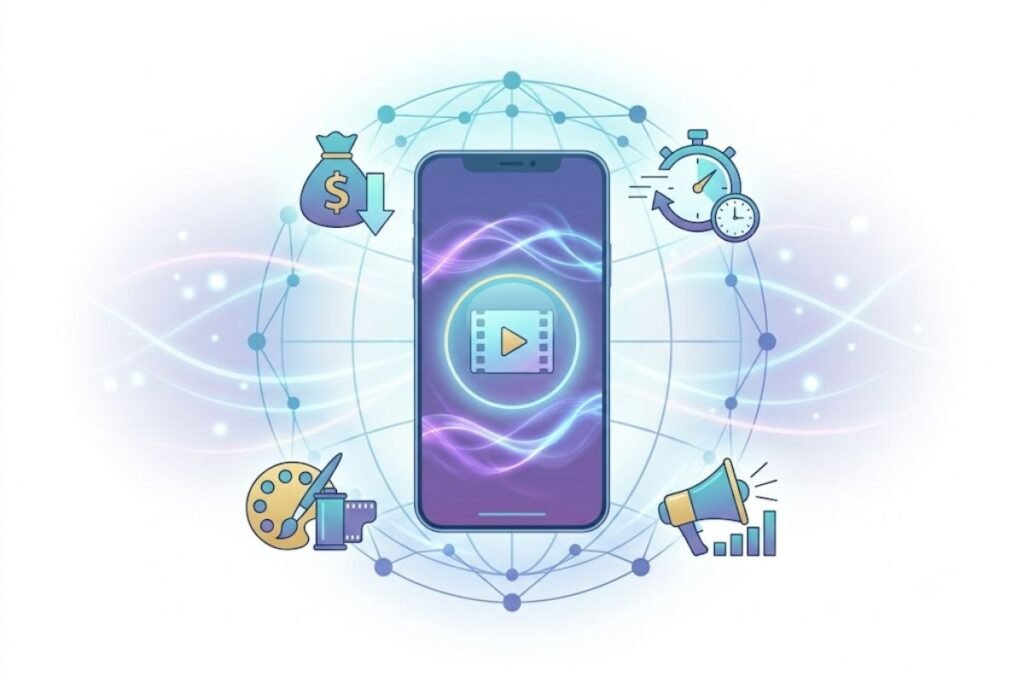
Faster Content Creation
Traditional video editing can take hours or even days. AI tools can create videos in minutes.
Cost Savings
Many free AI platforms eliminate the need for expensive editing software and professional editors.
Beginner-Friendly Experience
Most AI video generators provide simple interfaces suitable for users with no technical background.
Better Social Media Performance
Videos typically generate more engagement than static images.
AI-generated videos can improve:
- Views
- Shares
- Comments
- Click-through rates
Improved Marketing Results
Businesses use AI videos to create:
- Product promotions
- Brand stories
- Advertising campaigns
- Educational content
You can learn more about AI content marketing strategies to maximize content performance.
What Makes a Good AI-Generated Video?
A good AI-generated video should do more than simply add movement to a static image. The animation should look natural and preserve important details from the original image.
Look for the following qualities:
- Natural motion: Objects and people should move realistically.
- Stable faces: Facial features should remain consistent throughout the clip.
- Realistic hands: Hands and fingers should not become distorted during movement.
- Smooth camera movement: Zooms, pans, and camera movements should not appear jerky.
- Consistent backgrounds: Background elements should remain stable instead of changing unexpectedly.
- Minimal flickering: Lighting, textures, and objects should not rapidly change between frames.
- Accurate subject preservation: The main subject should remain recognizable throughout the video.
- Good lighting: Shadows and highlights should remain visually consistent.
- Clear audio: When sound or voice is generated, it should match the visual content and intended audience.
Always preview an AI-generated video before publishing it because even advanced models can occasionally create visual artifacts.
Who Can Benefit From AI Image-to-Video Generators?
AI image-to-video tools can be useful for many types of users and industries.
Content Creators
Creators can turn photographs, illustrations, and graphics into short-form videos for social media.
Digital Marketers
Marketers can create promotional visuals, advertisements, product demonstrations, and social media campaigns.
E-commerce Sellers
Online stores can animate product images and create short promotional videos without producing a complete traditional video shoot.
For online stores looking to improve conversions, choosing the right ecommerce pricing strategy alongside engaging product videos can help attract customers while maintaining healthy profit margins.
Bloggers and Publishers
Bloggers can transform important images, illustrations, and featured graphics into engaging visual content.
Teachers and Students
Educational users can animate diagrams, historical images, presentations, and other visual learning materials.
Small Businesses
Small businesses can create promotional videos from existing product photographs without investing in complex video production equipment.
Designers and Freelancers
Designers and freelancers can use AI animation to create concept videos, social media assets, presentations, and client prototypes.
When Should You Avoid AI Image-to-Video Generators?
AI image-to-video tools are useful, but they are not the right solution for every project.
You may want to use traditional video production or manual editing when:
- A product demonstration requires precise movement
- Exact human motion is important
- The content involves sensitive or confidential images
- You need complete control over every frame
- The original image does not have sufficient quality
- Copyright ownership of the input image is unclear
- A professional project requires guaranteed visual consistency
- The generated result contains noticeable AI artifacts that cannot be corrected
AI works best as a creative production tool rather than a replacement for every type of video workflow.
Best Use Cases for AI Image-to-Video Tools
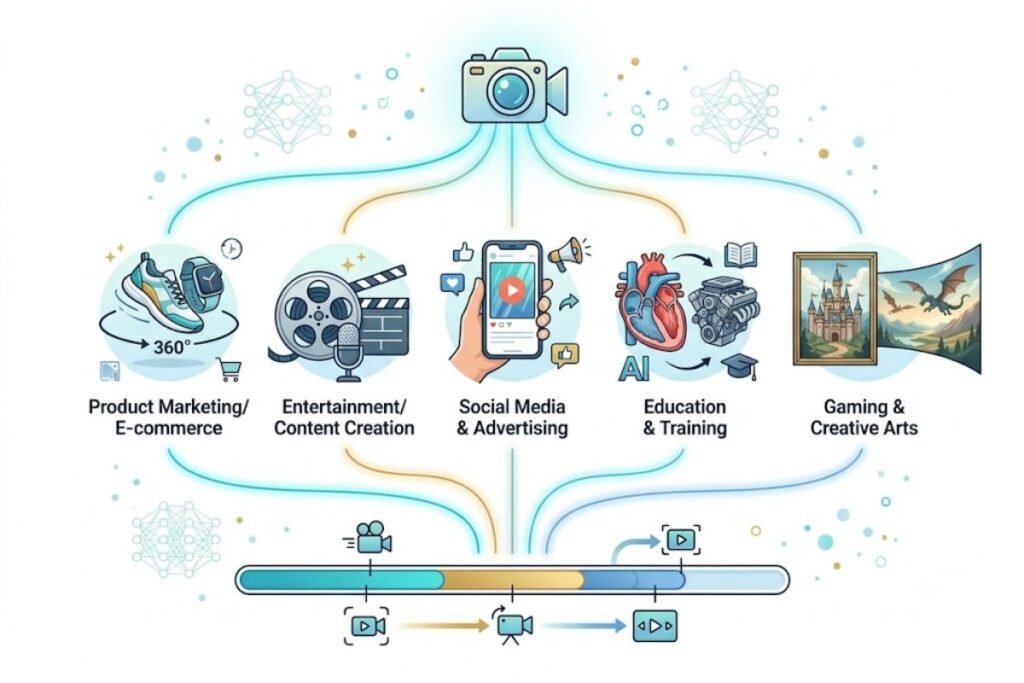
AI video generators support various industries and content types.
Social Media Content
Create engaging posts for:
- Instagram Reels
- TikTok
- YouTube Shorts
- Facebook Videos
Digital Marketing
Marketers use AI-generated videos to increase brand awareness and conversions.
E-commerce
Online stores can animate product images and create promotional videos.
AI-generated videos can also support broader ecommerce strategies, from personalized marketing and product recommendations to automated content creation; learn more in our guide on how to use AI in e-commerce.
If you’re creating AI videos from smartphone photos, choosing a phone with a capable camera and AI-powered editing features can make a big difference. For more details on Google’s upcoming flagship and its camera and AI capabilities, check out our Google Pixel 11 Pro review.
Education
Teachers and trainers can transform educational graphics into engaging learning materials.
Blogging and Websites
Many publishers use AI videos to increase user engagement and improve time-on-page metrics.
Check our video marketing guide for bloggers for additional strategies.
How to Choose the Best AI Video Generator
Not all AI tools offer the same features. Consider the following factors:
Ease of Use
Choose platforms with intuitive interfaces and beginner-friendly workflows.
Video Quality
Look for HD or 4K video export capabilities.
AI Features
Advanced platforms may offer:
- Motion generation
- Facial animation
- Lip syncing
- AI voiceovers
Export Options
Ensure the tool supports your preferred formats and social media platforms.
Pricing
Many tools offer free plans with optional premium upgrades. Review their limitations before committing.
If you’re planning to create and edit AI-generated videos regularly, choosing the right device can make a big difference. Before getting started, check out our Chromebook vs Laptop comparison to find out which option is better for video creation, editing, and everyday performance.
If you plan to create and edit AI-generated videos regularly, having a reliable laptop can make the workflow smoother, especially when working with high-resolution video files and editing tools. For budget-conscious users, our best affordable laptop guide covers practical options for work, study, and everyday content creation.
Which AI Image-to-Video Generator Should You Choose?
The right AI video generator depends on your goals and experience level.
For Beginners
Canva and CapCut are suitable starting points for users who want simple interfaces and quick video creation.
For Social Media Content
CapCut can be useful for creators who need AI effects, captions, transitions, templates, and social-media-focused editing features.
For Creative AI Animation
Pika is worth considering when your main goal is experimenting with creative image animation and visual effects.
For Advanced Video Workflows
Runway may be more suitable for creators who need advanced AI video tools and greater control over creative workflows.
For AI Visual Creation
Leonardo AI can be useful for creators who want to combine AI-generated visual assets with animation and creative production.
Because features and free-plan limits change over time, compare the current plans and capabilities before selecting a platform for long-term use.
Tips for Creating Better AI Videos
Start with High-Quality Images
Better input images generally produce better video results.
Use Clear Subjects
Photos with clear focus points generate more realistic animations.
Add Captions
Captions improve accessibility and engagement.
Optimize for Mobile Viewing
Most users watch videos on smartphones.
Create videos using vertical or square formats when targeting social media.
Keep Videos Short
Short videos often perform better on platforms such as TikTok, Instagram Reels, and YouTube Shorts.
When creating AI-generated videos, it’s also important to consider the screen where your content will be viewed. Understanding the best display technology can help you choose the right resolution, aspect ratio, and visual quality for a better viewing experience.
Since high-quality source images generally produce better AI-generated videos, a smartphone with an advanced camera system can be a valuable tool for creators. You can also explore our Apple iPhone 18 Pro Max guide to learn more about Apple’s expected next-generation camera and performance features.
Best AI Video Formats for Social Media
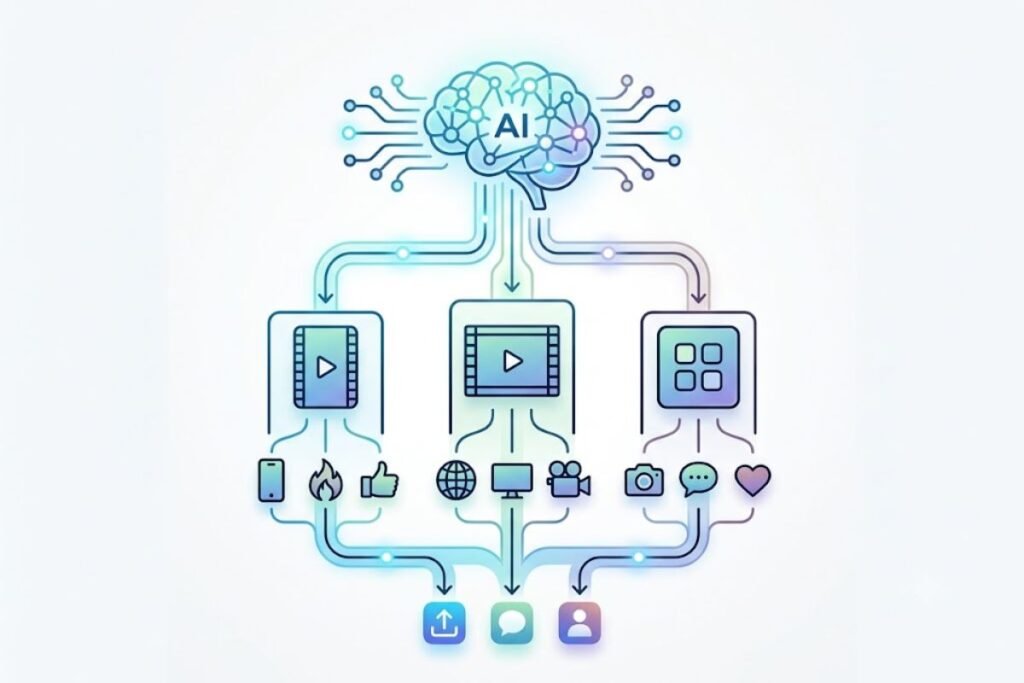
The ideal video format depends on the platform and the type of content you are creating. Before exporting, choose an aspect ratio that matches the platform where the video will be published.
TikTok
Vertical videos are generally the most suitable format for full-screen mobile viewing.
Instagram Reels
Vertical short-form videos are commonly used for Reels and mobile-first content.
YouTube Shorts
Vertical video is generally preferred for Shorts because the format is designed for smartphone viewing.
YouTube Videos
Landscape video is commonly used for traditional YouTube content, while vertical video is suitable for Shorts and mobile-focused content.
Square and vertical formats can work well depending on where the video appears and how users consume the content.
Always check the latest publishing specifications from each platform because recommended dimensions, duration limits, and other requirements can change.
AI Image-to-Video Trends to Watch in 2026
AI video generation continues to develop rapidly, with platforms focusing on more realistic motion, better consistency, and greater creative control.
More Realistic Motion
AI models are becoming better at generating natural movement and realistic camera animations.
Better Character Consistency
Maintaining consistent faces, characters, clothing, and visual details across generated scenes is becoming an important focus.
Improved Camera Controls
More AI video tools are giving creators greater control over camera movement, including zooms, pans, tracking shots, and cinematic movements.
AI Voice and Lip Synchronization
Video platforms increasingly combine visual generation with AI voiceovers and lip-syncing to create more complete video experiences.
AI-Powered Video Editing
AI is increasingly being used to automate captions, transitions, background changes, audio editing, and other post-production tasks.
Personalized Video Content
Businesses can use AI to create more personalized promotional and marketing videos for different audiences.
Multimodal AI Video Creation
AI systems are increasingly combining text, images, audio, and video inputs to create more flexible content workflows.
As these technologies improve, creators will have more control over the entire process, from generating visual concepts to editing and publishing the final video.
Common Limitations of Free AI Video Generators
While free AI video generators are becoming increasingly capable, they still have limitations that users should understand.
Watermarks
Some free plans may place a watermark on exported videos. Check the current export policy of the platform before creating content for professional use.
Limited Credits
Free users may receive a limited number of generations or AI credits per day or month.
Limited Video Duration
Some platforms restrict the length of videos available through free plans.
Lower Resolution
Free exports may offer lower resolution than premium plans.
Face and Hand Distortion
AI may occasionally generate unnatural facial expressions, hands, fingers, or body movements.
Object Warping
Products and other objects can change shape unexpectedly when the AI attempts to animate them.
Background Flickering
Detailed backgrounds may flicker, move unexpectedly, or change during generation.
Inconsistent Motion
The AI may interpret a prompt differently from what the user intended, resulting in unrealistic or excessive movement.
Rendering Delays
Video generation can take longer during periods of high demand or when creating higher-quality content.
Commercial Restrictions
Some platforms may have different licensing terms for free and paid users. Always review the current terms before using AI-generated content for commercial projects.
Understanding these limitations helps users set realistic expectations and choose the right tool for their specific project.
Are AI-Generated Videos Copyright-Free?
AI-generated video does not automatically mean that every part of the final video is free from copyright or licensing restrictions.
Before publishing an AI-generated video, consider the following:
- Make sure you have permission to use the original image you upload.
- Avoid using copyrighted photographs, artwork, logos, or characters without authorization.
- Check the AI platform’s current terms regarding ownership and commercial use.
- Review the license for music, stock footage, templates, fonts, and other assets added to the video.
- If you create content for a business or client, confirm that the tool allows the intended commercial use.
- Keep records of licensed assets and original materials when working on professional projects.
Copyright laws and AI regulations can differ between countries and may continue to evolve. If ownership or licensing is important to your project, review the applicable law and the platform’s current terms before publishing.
Are AI Image-to-Video Tools Safe for Private Images?
The safety of an AI video generator depends on how the platform handles uploaded content and user data. Before uploading personal, confidential, or business-sensitive images, review the platform’s current privacy policy and terms of service.
Pay attention to:
- How uploaded images are stored
- Whether uploaded content can be used to improve AI models
- How long files are retained
- Whether users can delete uploaded content
- Whether generated videos are publicly accessible
- Whether images are shared with third-party services
- What security measures are used to protect user data
Avoid uploading highly sensitive images to a platform unless you understand how the service handles your content. For business projects, organizations should also review the platform’s data-processing and privacy policies before allowing employees to upload company materials.
FAQs
Q: Can AI turn a photo into a video?
Ans: Yes. AI image-to-video generators can animate photos, add movement, and create complete videos automatically.
Q: Are free AI video generators safe?
Ans: Most reputable platforms are safe when used through official websites and apps.
Q: Which AI video generator is best for beginners?
Ans: Canva and CapCut are among the easiest options for beginners because of their user-friendly interfaces.
Q: Can I create videos for YouTube using AI?
Ans: Yes. Many creators use AI-generated videos for YouTube Shorts, tutorials, presentations, and marketing content.
Q: Do AI-generated videos require editing skills?
Ans: No. Most modern AI tools automate the editing process and require minimal technical knowledge.
Q: Can I turn multiple images into one AI video?
Ans: Yes. Some AI video and editing platforms allow users to combine multiple images into a single video. You can arrange images into a sequence and add transitions, music, captions, or AI-generated motion where supported.
Q: Do free AI video generators add watermarks?
Ans: Some free plans may add watermarks, while others may have different restrictions. Watermark policies can change, so check the platform’s current export terms before creating content for professional use.
Q: Can I use AI-generated videos for commercial purposes?
Ans: It depends on the platform’s current licensing terms and the assets used in the video. Check the AI tool’s commercial-use policy and make sure you have the necessary rights to images, music, logos, fonts, and other content.
Q: How long can an AI-generated video be?
Ans: Video duration varies by platform, AI model, subscription plan, and generation method. Free plans often have more restrictions than paid plans.
Q: Can AI animate a face from a photo?
Ans: Yes. Some AI tools can create subtle facial movements, expressions, or other animations from a still image. Results can vary depending on image quality and the AI model.
Q: Can I use AI-generated videos on YouTube?
Ans: Yes. AI-generated videos can be used on YouTube, provided they follow YouTube’s current policies, copyright rules, and monetization requirements. Creating useful, original content is important rather than simply publishing large amounts of low-value AI-generated material.
Q: Are AI-generated videos copyrighted?
Ans: The answer depends on the content, applicable law, and how the video was created. AI generation does not automatically give you unrestricted rights to every element in the final video. Review applicable copyright rules and the AI platform’s licensing terms.
Q: Can I create AI videos without editing skills?
Ans: Yes. Many modern AI video generators are designed for beginners. However, basic editing skills can help you improve captions, timing, audio, transitions, branding, and the final presentation.
Final Thoughts
Free AI image-to-video generators have made it much easier to turn ordinary photos into engaging video content without advanced editing skills. Whether you are a content creator, marketer, blogger, teacher, e-commerce seller, or small business owner, these tools can reduce the time and effort required to create visual content.
However, the best AI video generator is not necessarily the one with the most features. Your choice should depend on image-to-video quality, ease of use, free credits, video length, export quality, editing options, privacy, and commercial-use requirements.
Before publishing an AI-generated video, always review the result for visual artifacts such as distorted faces, unrealistic movement, flickering, or changing objects. You should also verify the rights associated with your input images, music, templates, and generated content.
Start with a free option that matches your needs, test it with several different images, and compare the results. As AI video technology continues to improve, image-to-video tools are likely to become an increasingly useful part of modern content creation and digital marketing workflows.



4 Comments