 -by
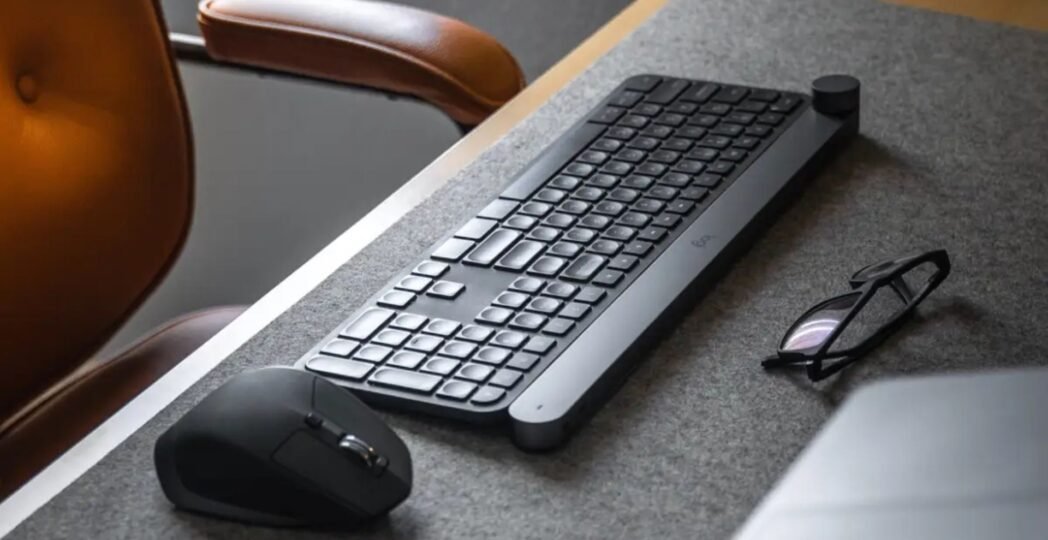
-by Modern computers are only as enjoyable as the devices you use to control them. A high-quality keyboard and mouse can make gaming smoother, improve workplace productivity, and create a more comfortable experience during long hours at your desk. Whether you’re a gamer, student, office worker, programmer, designer, or casual computer user, choosing the right peripherals is just as important as selecting the right computer.
In 2026, manufacturers will continue to introduce better wireless technology, quieter switches, longer battery life, and smarter ergonomic designs. Today’s premium wireless keyboard and mouse combinations offer performance that rivals wired models, while budget-friendly options provide impressive value for everyday users.
This comprehensive guide explains everything you need to know before buying the best keyboard and mouse. You’ll learn about keyboard types, mouse technologies, connectivity options, important features, and how to select the perfect setup for your needs.
Why Your Keyboard and Mouse Matter
Many people spend between six and ten hours each day using a computer. During that time, your keyboard and mouse become the primary tools you interact with. Poor-quality peripherals can slow your workflow, reduce gaming performance, and even cause wrist or hand discomfort.
A good keyboard and mouse offer several advantages:
- Faster and more accurate typing
- Better gaming precision
- Reduced hand fatigue
- Improved posture
- Increased productivity
- Longer product lifespan
- Better overall computing experience
Instead of viewing these accessories as simple add-ons, think of them as long-term investments that improve every task you perform on your computer.
Different Types of Keyboards
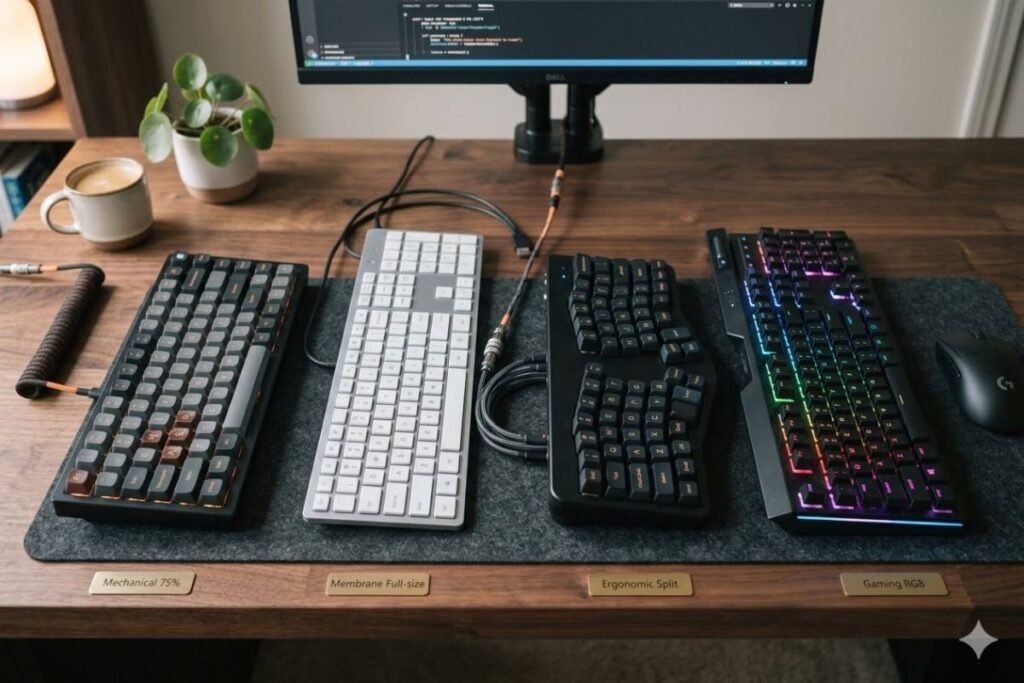
Understanding keyboard types is the first step toward making the right purchase.
Mechanical Keyboard
Mechanical keyboards remain the top choice for gamers, programmers, and professional writers. Each key uses an individual mechanical switch that delivers excellent tactile feedback and durability.
Advantages include:
- Extremely responsive keys
- Longer lifespan
- Better typing accuracy
- Replaceable switches
- Excellent gaming performance
Mechanical keyboards generally last much longer than membrane models, making them a worthwhile investment despite the higher initial price.
Membrane Keyboard
Membrane keyboards use a pressure pad beneath the keys instead of individual switches.
Benefits include:
- Lower price
- Quiet operation
- Lightweight design
- Easy maintenance
They work well for students, office workers, and home users who don’t require professional-level performance.
Ergonomic Keyboard
Ergonomic keyboards reduce strain during long work sessions.
Common features include:
- Split keyboard layout
- Wrist rest
- Adjustable typing angle
- Natural hand positioning
These keyboards are ideal for professionals who type for several hours every day.
Compact Keyboard
Compact keyboards remove unnecessary keys to save desk space.
Popular layouts include:
- 60%
- 65%
- 75%
- Tenkeyless (TKL)
Gamers often prefer smaller keyboards because they provide extra room for mouse movement.
Different Types of Mouse
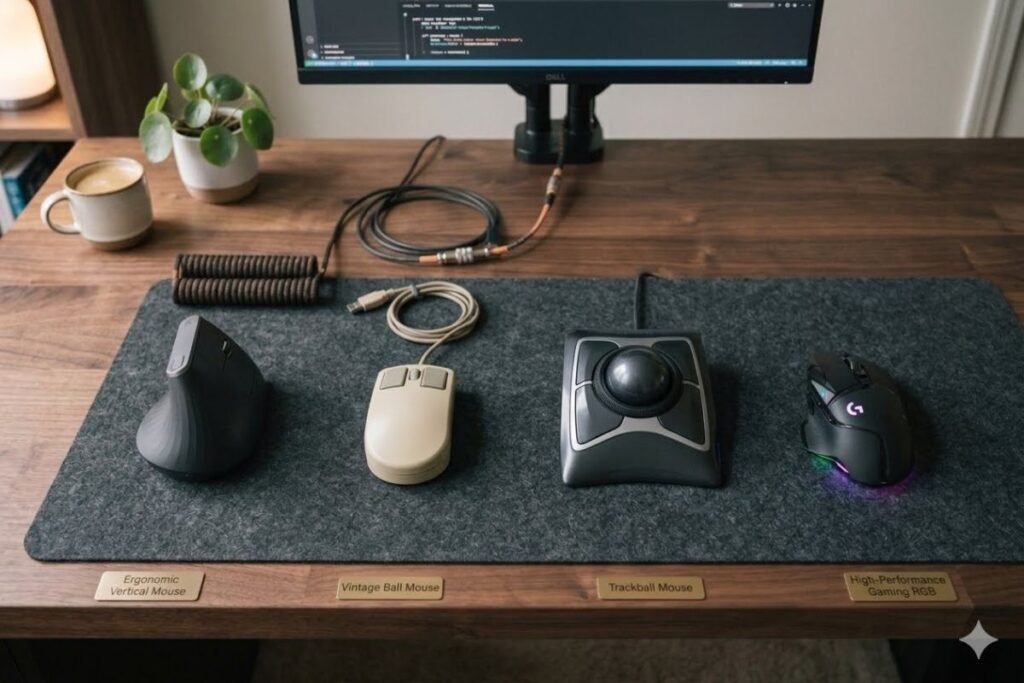
Choosing the right mouse is just as important.
Optical Mouse
Optical mice use LED sensors to detect movement.
Advantages:
- Affordable
- Accurate
- Reliable
- Suitable for most surfaces
Most users will be perfectly satisfied with an optical mouse.
Laser Mouse
Laser sensors provide greater sensitivity.
Benefits:
- Higher DPI
- Better precision
- Works on more surfaces
Professional designers and advanced users often prefer laser mice.
Gaming Mouse
Gaming mice include features such as:
- Adjustable DPI
- RGB lighting
- Programmable buttons
- Lightweight design
- High polling rates
- Advanced optical sensors
These features improve responsiveness during competitive gaming.
Ergonomic Mouse
Ergonomic mice help reduce wrist strain.
Ideal for:
- Office workers
- Graphic designers
- Programmers
- People experiencing repetitive strain
Comfort becomes increasingly important during long working sessions.
Wired vs Wireless Keyboard and Mouse
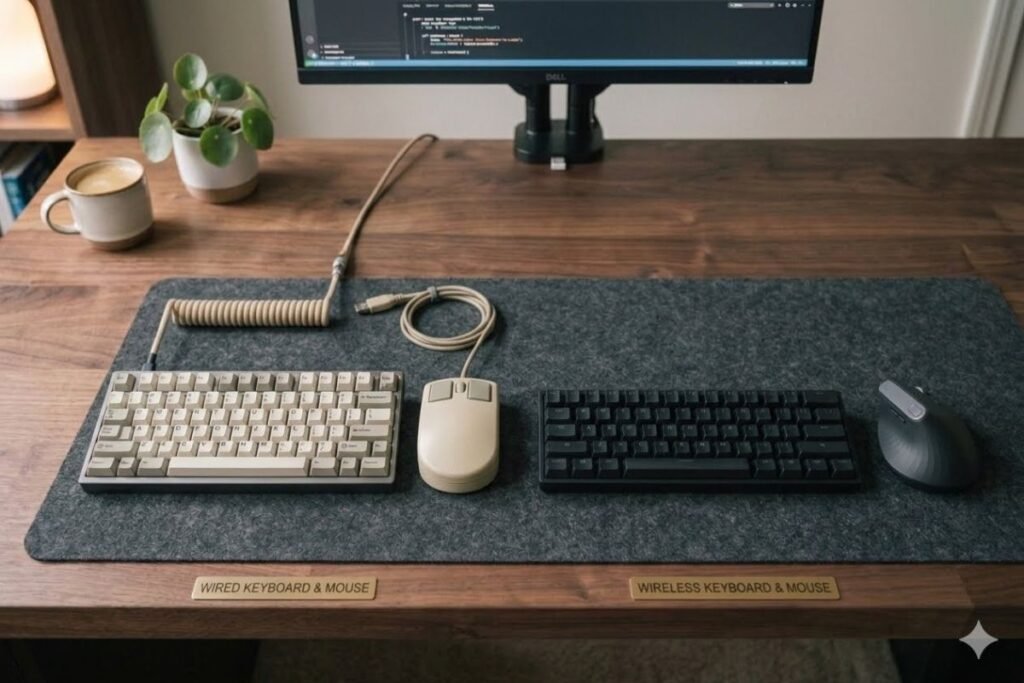
One of the biggest buying decisions is whether to choose wired or wireless devices.
| Feature | Wired | Wireless |
| Response Time | Excellent | Excellent (Premium Models) |
| Cable Clutter | Yes | No |
| Battery Required | No | Yes |
| Portability | Lower | Higher |
| Setup | Plug and Play | Bluetooth or USB Receiver |
| Price | Usually Lower | Usually Higher |
Wireless technology has improved dramatically over the last few years. Premium wireless keyboards and mice now provide almost identical performance to wired versions.
Unless you play competitive esports, a quality wireless setup is an excellent choice.
Mechanical vs Membrane Keyboard
| Feature | Mechanical | Membrane |
| Durability | Excellent | Good |
| Typing Feel | Premium | Soft |
| Gaming | Excellent | Good |
| Noise | Moderate | Quiet |
| Price | Higher | Lower |
| Lifespan | Very Long | Moderate |
If your budget allows, a mechanical keyboard delivers the best overall experience.
Essential Features to Look For
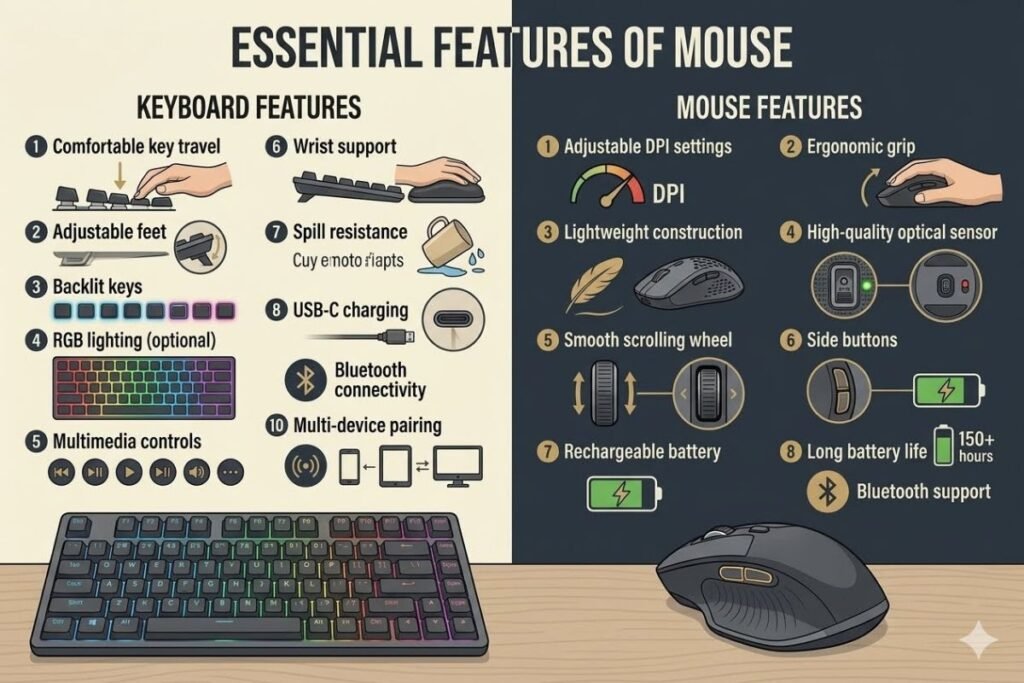
Not every keyboard and mouse offers the same features. Prioritize the ones that match your daily tasks.
Keyboard Features
Look for:
- Comfortable key travel
- Adjustable feet
- Backlit keys
- RGB lighting (optional)
- Multimedia controls
- Wrist support
- Spill resistance
- USB-C charging
- Bluetooth connectivity
- Multi-device pairing
These features improve comfort and usability without adding unnecessary complexity.
Mouse Features
A good mouse should provide:
- Adjustable DPI settings
- Ergonomic grip
- Lightweight construction
- High-quality optical sensor
- Smooth scrolling wheel
- Side buttons
- Rechargeable battery
- Long battery life
- Bluetooth support
Even casual users benefit from a comfortable mouse with reliable tracking.
Choosing the Right Keyboard and Mouse for Your Needs
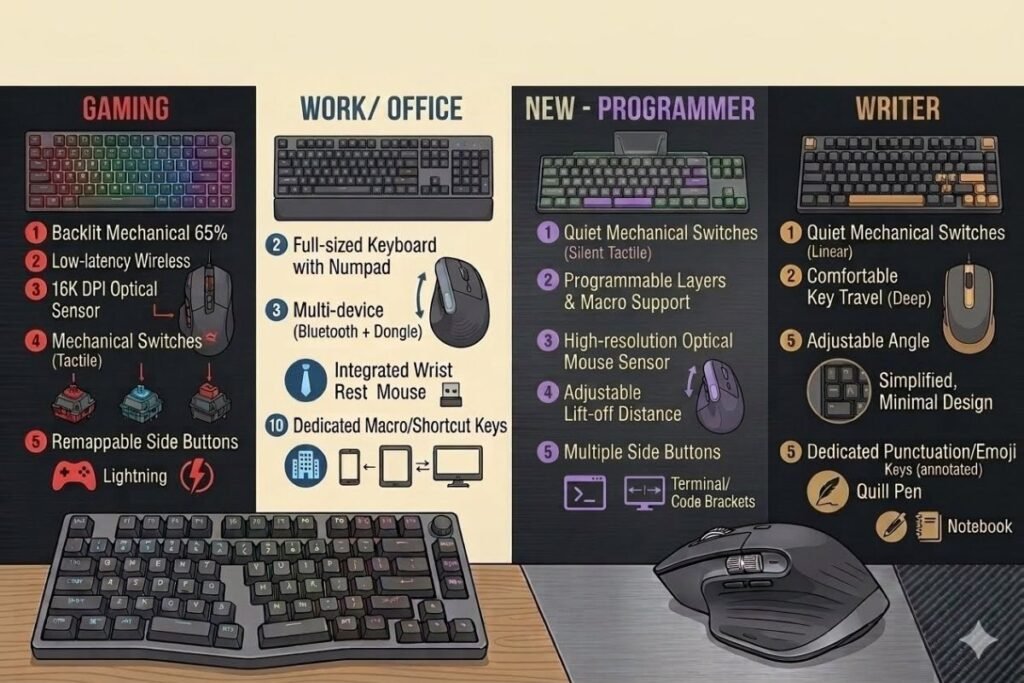
Different users require different features.
For Gamers
Choose:
- Mechanical keyboard
- Linear or tactile switches
- RGB lighting
- Gaming mouse with adjustable DPI
- Lightweight design
- High polling rate
For Office Work
Choose:
- Quiet keyboard
- Comfortable wrist support
- Silent mouse clicks
- Wireless connection
- Long battery life
For Students
Students should prioritize affordability and portability. A compact wireless keyboard and mouse combo works well for classrooms, libraries, and home study.
For Programmers and Writers
Long typing sessions require excellent comfort.
Look for:
- Mechanical switches
- Ergonomic layout
- Comfortable wrist support
- Full-size keyboard
- Quiet operation
Typing comfort becomes more valuable over time than flashy RGB lighting.
Best Keyboard and Mouse Combos in 2026
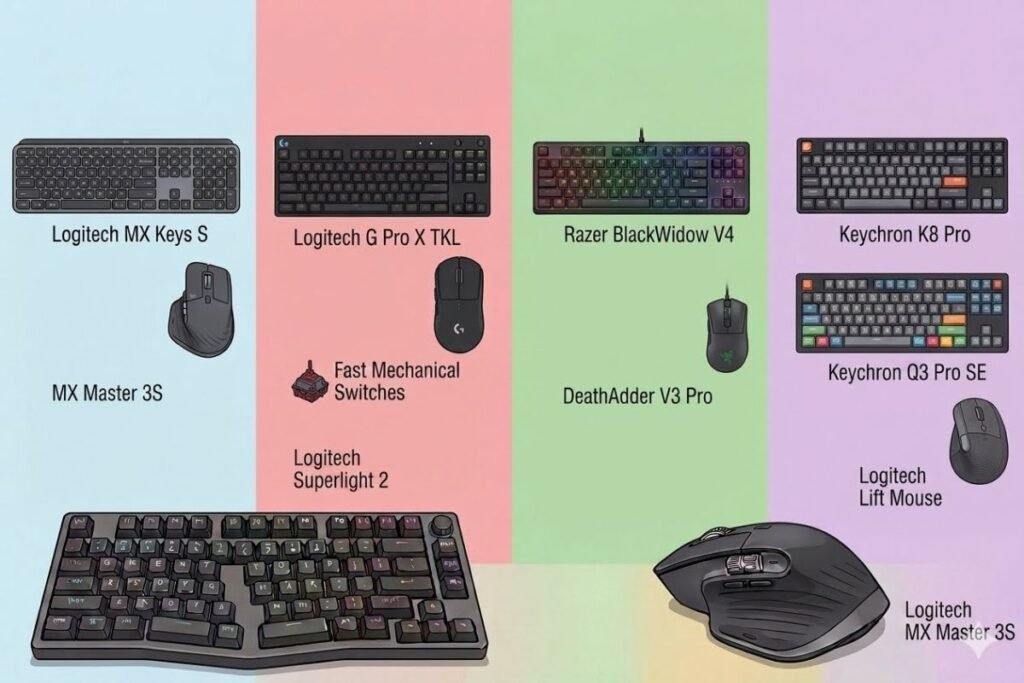
Choosing the right keyboard and mouse depends on how you use your computer. Gamers need speed and precision, office workers value comfort and quiet typing, while students and home users often look for affordability and reliability. Below are some of the best options available in 2026.
01. Logitech MX Keys S + MX Master 3S (Best for Productivity)
The Logitech MX series remains one of the most popular choices for professionals. The MX Keys S keyboard offers a premium typing experience with responsive low-profile keys, while the MX Master 3S mouse provides exceptional precision and customizable controls.
Best for:
- Business professionals
- Content creators
- Programmers
- Remote workers
Pros:
- Premium build quality
- Excellent battery life
- Multi-device connectivity
- Comfortable typing experience
- Highly accurate sensor
Cons:
- Premium price
- Not designed for competitive gaming
02. Logitech G Pro X TKL + Logitech G Pro X Superlight 2 (Best for Competitive Gaming)
Competitive gamers need speed, reliability, and precision. This combination delivers all three with mechanical switches, ultra-low latency, and one of the lightest gaming mice available.
Best for:
- Esports
- FPS games
- Competitive online gaming
Pros:
- Extremely responsive
- Lightweight mouse
- Excellent battery life
- Tournament-ready performance
Cons:
- Expensive
- Limited productivity features
03. Razer BlackWidow V4 + Razer DeathAdder V3 Pro
Razer continues to produce high-performance gaming peripherals. The BlackWidow V4 features responsive mechanical switches, while the DeathAdder V3 Pro offers excellent ergonomics and tracking accuracy.
Ideal for:
- RPG games
- MMO games
- Streaming
- Content creators
Pros:
- Comfortable design
- Customizable RGB lighting
- High-performance optical sensor
- Durable construction
Cons:
- RGB software may require configuration
04. Corsair K70 RGB Pro + Corsair M75 Wireless
Corsair delivers premium build quality with aluminum construction, fast switches, and advanced gaming features.
Best for:
- PC gaming
- Professional gamers
- RGB enthusiasts
Pros:
- Excellent build quality
- Fast response time
- Attractive RGB lighting
- Durable switches
Cons:
- Premium pricing
05. Keychron K8 Pro + Logitech Lift Mouse
This combination is excellent for developers, writers, and office professionals who prioritize comfort over gaming features.
Pros:
- Excellent typing feel
- Wireless support
- Mac and Windows compatibility
- Ergonomic mouse
Cons:
- Not ideal for esports
Best Budget Keyboard and Mouse
Not everyone needs expensive peripherals. Many affordable models offer excellent value for everyday computing.
Look for these features:
- Wireless USB receiver
- Quiet membrane keyboard
- Comfortable mouse
- Long battery life
- Spill-resistant design
Budget users should prioritize comfort and reliability rather than RGB lighting or advanced gaming features.
Best Keyboard and Mouse by Category
| Category | Recommended Choice |
| Best Overall | Logitech MX Keys S + MX Master 3S |
| Best Gaming | Logitech G Pro Series |
| Best Budget | Logitech MK Series |
| Best Office | Microsoft Ergonomic Combo |
| Best Wireless | Logitech MX Series |
| Best Mechanical | Keychron K8 Pro |
| Best RGB | Corsair K70 RGB |
| Best for Mac | Apple Magic Keyboard + Magic Mouse |
| Best for Students | Logitech Pebble Combo |
| Best Ergonomic | Logitech Lift + Ergo Keyboard |
Keyboard Switch Types Explained
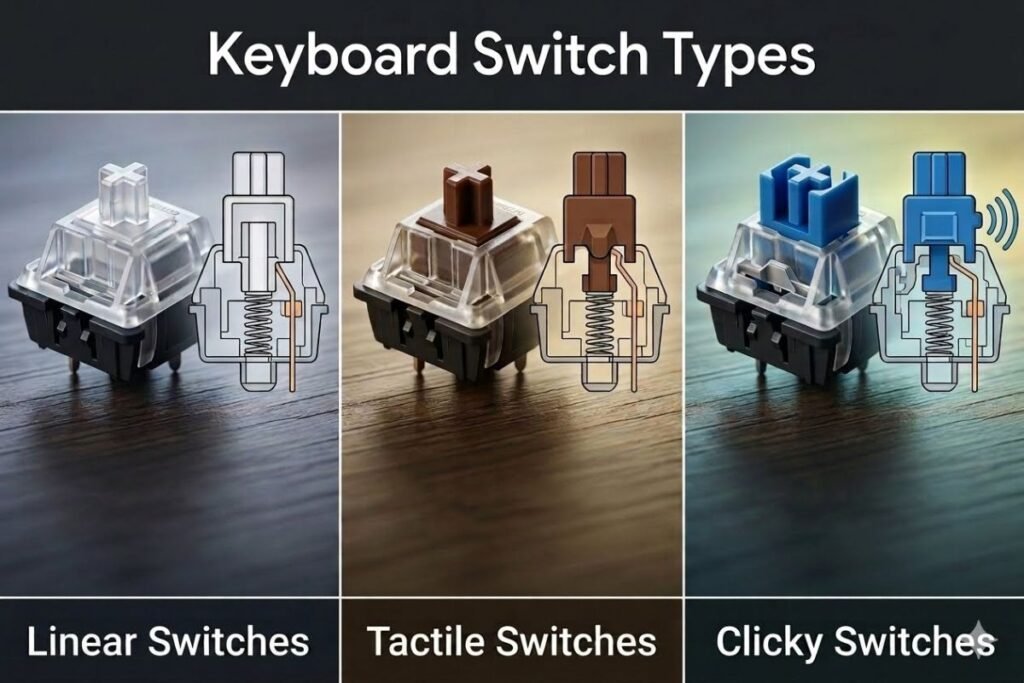
Mechanical keyboards use different switch types. Understanding them helps you choose the right typing experience.
Linear Switches
Characteristics:
- Smooth keystrokes
- No tactile bump
- Fast response
Perfect for gaming.
Tactile Switches
Characteristics:
- Noticeable feedback
- Balanced typing feel
- Comfortable for long sessions
Great for programmers and writers.
Clicky Switches
Characteristics:
- Audible click
- Strong tactile feedback
- Enjoyable typing experience
Excellent for typing, but may disturb others in shared workspaces.
Important Mouse Specifications
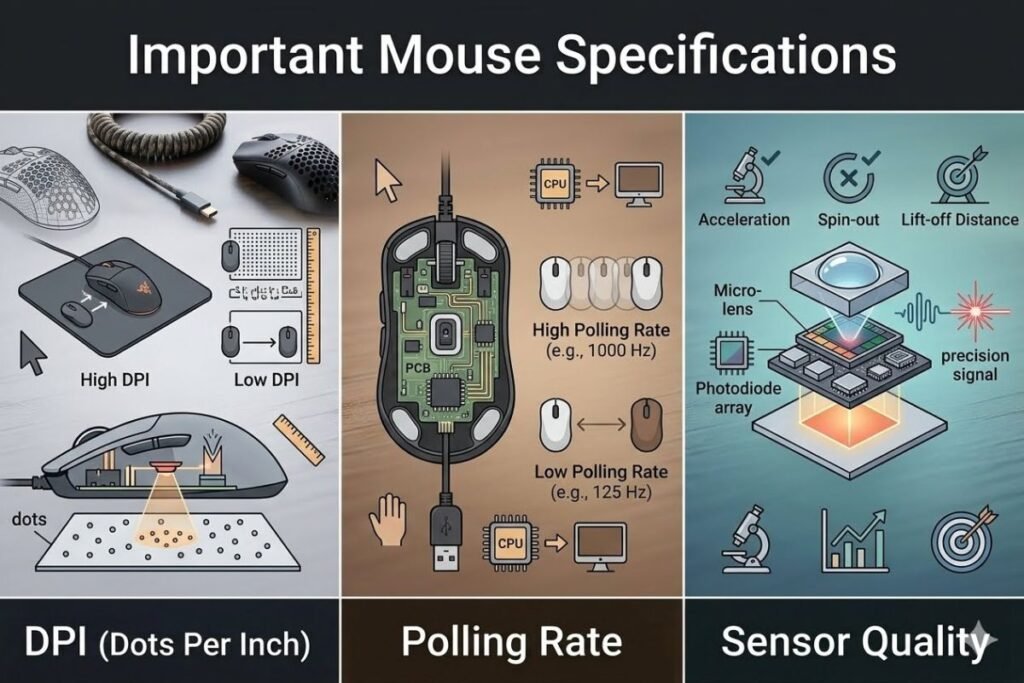
A quality mouse offers more than an attractive design.
DPI (Dots Per Inch)
Higher DPI means greater cursor sensitivity.
Recommended settings:
- Office Work: 800–1600 DPI
- Graphic Design: 1200–2400 DPI
- Gaming: 800–3200 DPI (adjustable)
Modern gaming mice often exceed 20,000 DPI, although most users never need settings that high.
Polling Rate
Polling rate indicates how often the mouse sends its position data to the computer.
Common values:
- 125 Hz
- 500 Hz
- 1000 Hz
- 4000 Hz
- 8000 Hz
Higher polling rates improve responsiveness, particularly in fast-paced games.
Sensor Quality
Modern premium mice use advanced optical sensors that provide:
- Better tracking
- Lower latency
- Higher precision
- More consistent performance
For gaming and creative work, sensor quality is often more important than extremely high DPI numbers.
Wired or Wireless: Which Should You Buy?
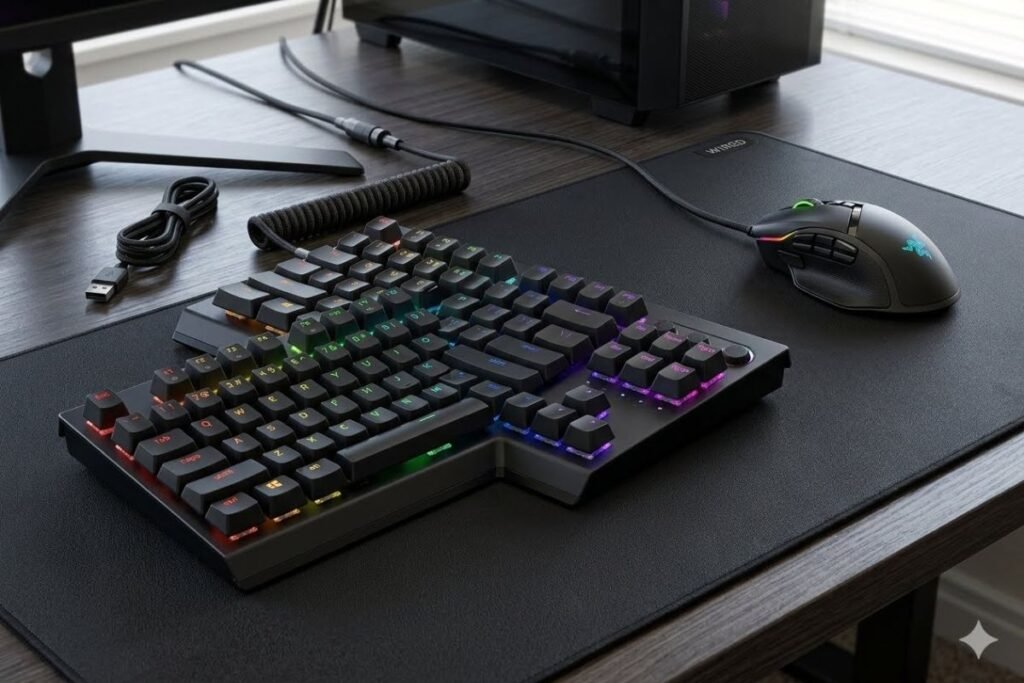
Both options have advantages depending on your needs.
Choose Wired If You:
- Want the lowest possible latency
- Prefer not to charge batteries
- Have a limited budget
- Play competitive esports
Choose Wireless If You:
- Want a cleaner desk
- Travel frequently
- Use multiple devices
- Value flexibility and portability
Today’s premium wireless devices perform almost identically to wired models for most users.
Mistakes to Avoid When Buying
Many buyers make the same mistakes when shopping for a keyboard and mouse.
Avoid these common errors:
- Buying based only on appearance
- Ignoring ergonomics
- Choosing extremely cheap products with poor build quality
- Forgetting operating system compatibility
- Ignoring battery life in wireless models
- Paying extra for features you won’t use
- Overlooking warranty and customer support
Taking a little extra time to compare features and reviews can help you choose a setup that lasts for years.
Keyboard and Mouse Maintenance Tips
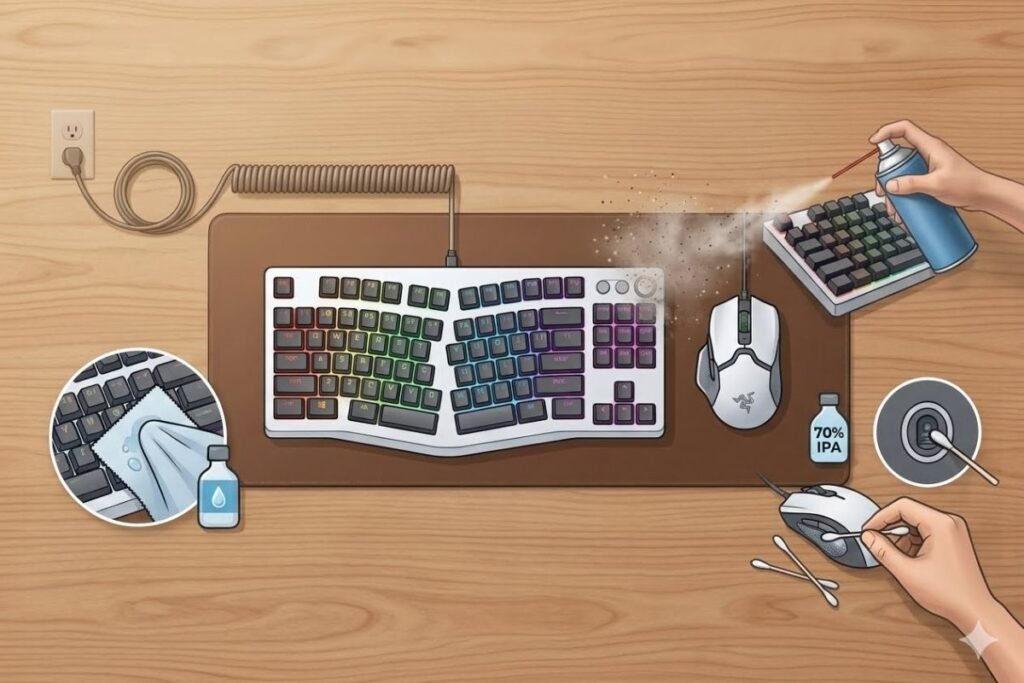
Buying the best keyboard and mouse is only the first step. Regular maintenance helps them last longer and perform better. Dust, food crumbs, and oils from your hands can reduce responsiveness over time, so keeping your peripherals clean is essential.
Clean Your Keyboard Regularly
A keyboard collects dust and debris between the keys. To keep it in good condition:
- Turn off or unplug the keyboard before cleaning.
- Use compressed air to remove dust and crumbs.
- Wipe the keys with a microfiber cloth.
- Clean the surface using a soft cloth lightly dampened with isopropyl alcohol.
- Avoid spraying liquid directly onto the keyboard.
For mechanical keyboards, removing the keycaps occasionally allows for a deeper clean.
Keep Your Mouse Sensor Clean
A dirty sensor can cause cursor skipping or inaccurate tracking.
To maintain your mouse:
- Wipe the sensor gently with a microfiber cloth.
- Remove dust from the mouse feet.
- Clean the scroll wheel regularly.
- Use the mouse on a smooth mouse pad for the best tracking performance.
Charge Wireless Devices Properly
If you use a wireless keyboard and mouse, follow these battery care tips:
- Recharge before the battery reaches 0%.
- Avoid leaving rechargeable devices plugged in continuously.
- Store devices in a cool, dry place.
- Replace disposable batteries with quality alkaline or rechargeable batteries.
Good battery habits can significantly extend the lifespan of wireless peripherals.
Common Keyboard Shortcuts That Improve Productivity
Learning keyboard shortcuts can save time every day. Here are some of the most useful commands for Windows users.
| Shortcut | Function |
| Ctrl + C | Copy |
| Ctrl + V | Paste |
| Ctrl + X | Cut |
| Ctrl + Z | Undo |
| Ctrl + Y | Redo |
| Ctrl + A | Select All |
| Ctrl + S | Save |
| Ctrl + F | Find |
| Alt + Tab | Switch Applications |
| Win + L | Lock Computer |
Mastering these shortcuts can improve productivity, especially for office workers, students, and professionals.
Accessories That Improve Your Keyboard and Mouse Experience
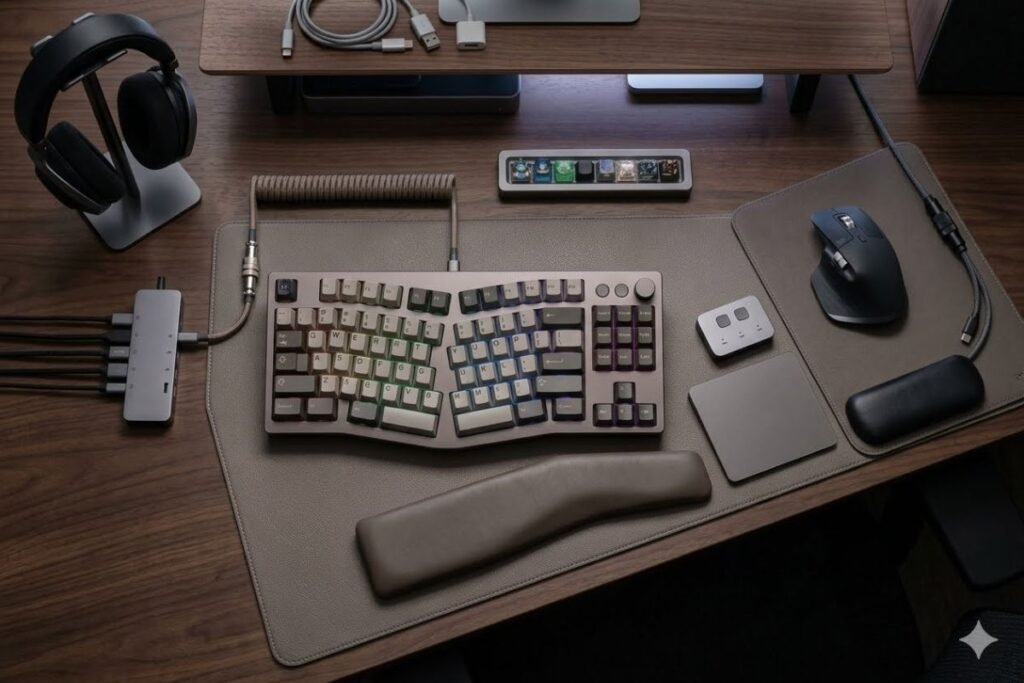
The right accessories can make your setup more comfortable and efficient.
Mouse Pad
A quality mouse pad provides:
- Better tracking accuracy
- Smoother movement
- Less wear on mouse feet
- Improved comfort
Gaming mouse pads often feature larger surfaces, while office users may prefer compact designs with wrist support.
Wrist Rest
A wrist rest helps maintain a natural hand position during long typing sessions. It can reduce fatigue and improve overall comfort.
Desk Mat
Large desk mats protect your desk, reduce noise, and provide a consistent surface for both your keyboard and mouse.
USB Hub
If your computer has limited USB ports, a powered USB hub makes it easier to connect multiple accessories without sacrificing performance.
Future Trends in Keyboard and Mouse Technology
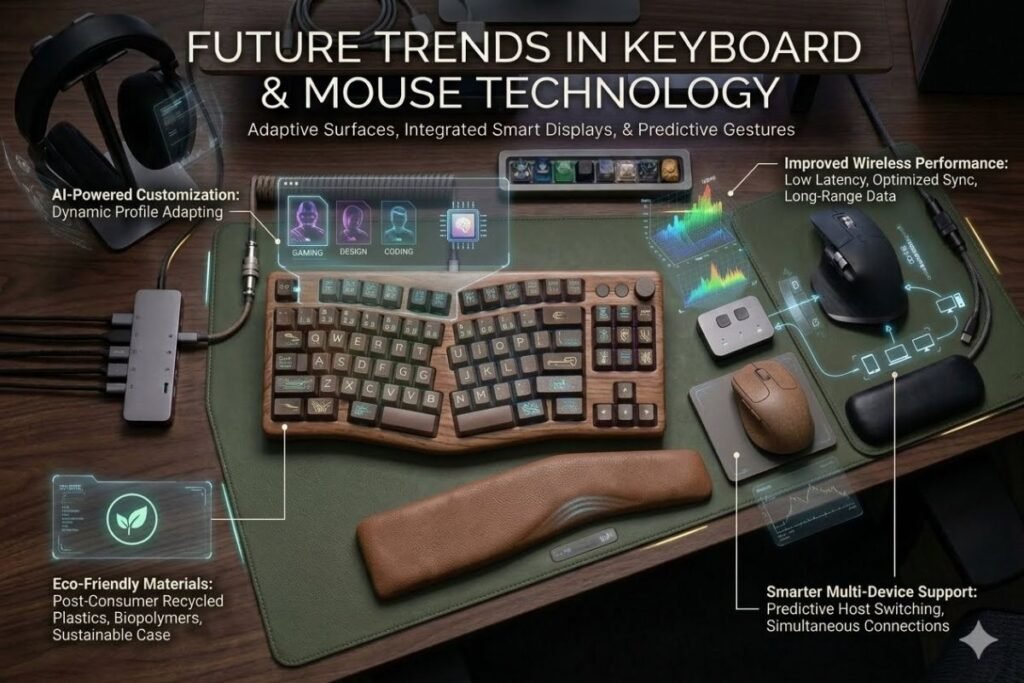
Technology continues to evolve, and the keyboard and mouse market is no exception. Several trends are shaping the future of computer peripherals.
AI-Powered Customization
Artificial intelligence is beginning to personalize user experiences by adjusting keyboard lighting, mouse sensitivity, and shortcut suggestions based on usage patterns.
Improved Wireless Performance
Wireless technology continues to advance with:
- Lower latency
- Longer battery life
- Faster charging
- More stable Bluetooth connections
These improvements make wireless devices an even better choice for both work and gaming.
Eco-Friendly Materials
Many manufacturers now use recycled plastics and sustainable packaging to reduce environmental impact. Consumers increasingly value products that combine performance with responsible manufacturing.
Smarter Multi-Device Support
Modern keyboards and mice allow users to switch seamlessly between laptops, desktops, tablets, and smartphones. This feature is especially useful for professionals who work across multiple devices.
Helpful Resources
If you’re looking for more technology buying guides, hardware comparisons, and expert reviews, visit techallworld.com and techhatoz.com. These websites provide detailed articles on laptops, monitors, accessories, and the latest tech trends.
After upgrading your computer setup, you can also explore lifestyle resources like restaurent.net for restaurant recommendations around the world or Beach Near to discover beautiful beaches and travel destinations for your next vacation. Combining the right technology with enjoyable experiences helps create a balanced and productive lifestyle.
Conclusion
The keyboard and mouse remain essential tools for every computer user, whether you’re gaming, working, studying, or creating content. With so many excellent options available in 2026, there has never been a better time to upgrade your setup. By understanding your needs and comparing the features that matter most, you can confidently choose a keyboard and mouse that deliver outstanding performance, comfort, and long-term value.
Frequently Asked Questions
Q. What is the best keyboard and mouse for gaming?
Ans: For gaming, a mechanical keyboard with fast switches and a lightweight gaming mouse with an accurate optical sensor is the best choice. Popular options from Logitech, Razer, Corsair, SteelSeries, and ASUS ROG offer excellent performance for competitive and casual gamers.
Q. Is a wireless keyboard and mouse better than a wired one?
Ans: Wireless models provide greater flexibility and a cleaner workspace. Modern premium wireless devices offer performance that is nearly identical to wired models, making them suitable for most users. Wired peripherals remain a good option for users who prefer not to manage batteries or require the lowest possible latency.
Q. Are mechanical keyboards worth the extra cost?
Ans: Yes. Mechanical keyboards generally offer better durability, faster response, improved typing feedback, and a longer lifespan than membrane keyboards. They are a worthwhile investment for gamers, writers, programmers, and anyone who spends a lot of time typing.
Q. What DPI is best for a mouse?
Ans: The ideal DPI depends on your needs:
- Everyday use: 800–1600 DPI
- Office work: 1000–1600 DPI
- Graphic design: 1200–2400 DPI
- Gaming: Adjustable DPI between 800 and 3200 is suitable for most players.
Higher DPI settings are available but are not necessary for most users.
Q. How long does a wireless keyboard battery last?
Ans: Battery life varies by model and usage. Many wireless keyboards last several months on replaceable batteries, while rechargeable models can operate for several weeks on a single charge.
Q. Can one keyboard and mouse connect to multiple devices?
Ans: Yes. Many modern Bluetooth keyboards and mice support multi-device pairing, allowing you to switch between computers, tablets, and smartphones with the press of a button.
Q. Which brands make the best keyboard and mouse?
Ans: Trusted brands include Logitech, Razer, Corsair, Keychron, SteelSeries, ASUS ROG, Microsoft, Dell, HP, and Apple. These companies offer reliable products across different price ranges and use cases.



8 Comments