 -by
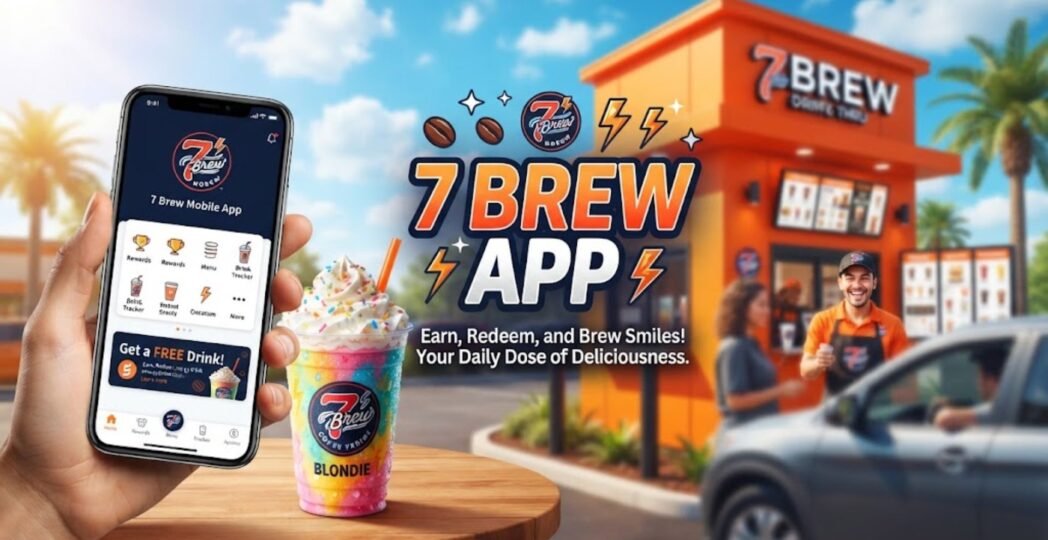
-by If you have searched for the 7 Brew app on an iPhone and found conflicting information, you are not alone. 7 Brew recently introduced its first official mobile app, changing how customers can browse drinks, customize orders, manage rewards, and order ahead. The official iOS listing identifies the app as 7 Brew Coffee, published by Brew Culture, LLC, and requires iOS 15 or later.
The important point is that older articles and forum discussions may still say that 7 Brew does not have an app. Those pages can be outdated because the app launched in August 2026. The official app is now designed to bring several parts of the 7 Brew experience onto your phone while keeping the brand’s drive-thru model.
This guide explains how the Apple Seven Brew app works, how to find and install it, what you can do inside it, how rewards work, what beginners should know before placing an order, and what professionals or frequent customers should consider from a privacy and convenience perspective.
Current status: The official Seven Brew Coffee iPhone app launched in August 2026. The Apple App Store lists Brew Culture, LLC as the developer and describes features including order-ahead, drink customization, menu discovery, and rewards.
What Is the 7 Brew App?
The Seven Brew app is the official mobile application from Seven Brew Drive Thru Coffee. It lets customers interact with the chain digitally instead of handling every part of the ordering and rewards process at the drive-thru window.
The app is particularly useful for repeat customers because it brings several functions together:
- Order ahead from your phone
- Browse the Seven Brew menu
- Customize drinks
- Save favorite drink combinations
- Track and redeem rewards
- Explore the brand’s large range of drink combinations
- Prepare an order before reaching the stand
The official App Store listing describes the application as a free Food & Drink app for iPhone and iPad. It currently requires iOS 15 or later. This is an important development for a company whose experience has traditionally centered on fast, personalized drive-thru ordering.
Why the App Matters
Before the app launch, customers primarily depended on the in-person ordering experience and the web-based Seven Brew Rewards system. The official rewards portal, for example, lets members log in using their phone number and currently describes a points system tied to drink purchases.
The new app makes the process more convenient for people who already know what they want. Instead of explaining a complicated drink combination from memory, you can build it on your phone, review your selections, and later repeat a saved favorite.
Does 7 Brew Have an Apple App?
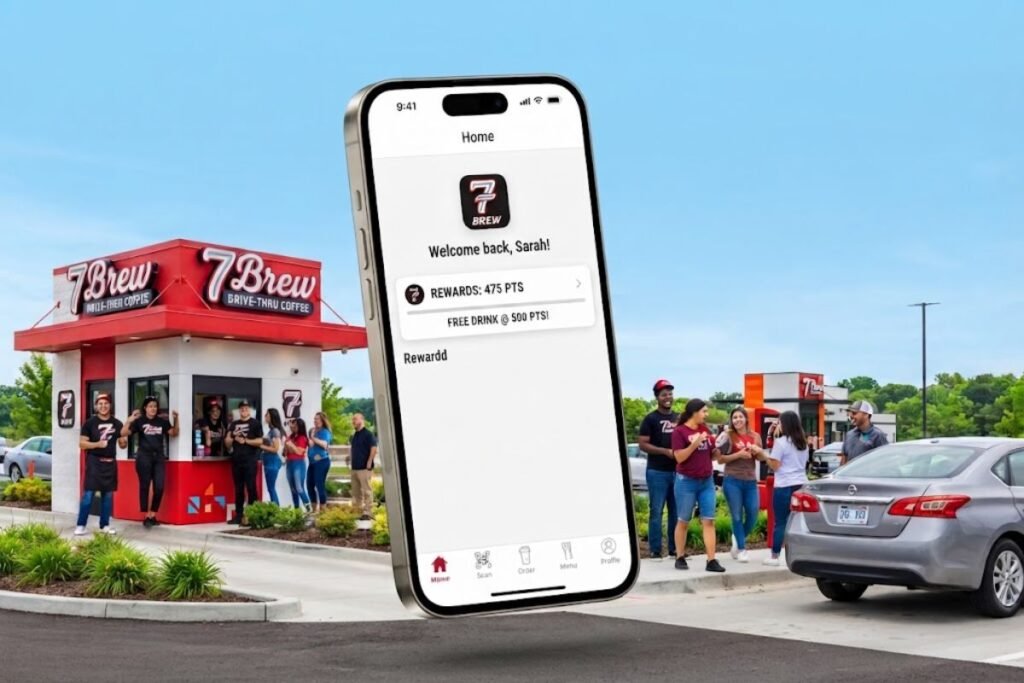
Yes. 7 Brew now has an official Apple app called “Seven Brew Coffee.” The application is available through Apple’s App Store and is published by Brew Culture, LLC, the company behind 7 Brew. The listing identifies it as a free app and states that it works on iPhone and iPad devices running iOS 15 or later. This differs from older search results that may still claim Seven Brew has no mobile app.
Why Are There So Many Conflicting Answers?
For years, Seven Brew operated without a conventional consumer mobile app. Its rewards program existed independently, and customers could use their phone numbers to participate. Some older pages still describe that setup. The situation changed in August 2026.
Industry reporting confirmed that Seven Brew launched its mobile app on August 12, 2026, adding order-ahead functionality, rewards tracking, saved favorites, and other digital features. Therefore, if you encounter an article published before the launch saying “Seven Brew doesn’t have an app,” check its publication date before relying on it.
How to Find the Official 7 Brew App on Apple
Searching the App Store can sometimes produce confusing results because “7 Brew” is a short search phrase and other unrelated applications may appear. The safest approach is to verify the developer.
Check These Details
When you open the Apple App Store listing, confirm that:
- App name: 7 Brew Coffee
- Developer: Brew Culture, LLC
- Category: Food & Drink
- Price: Free
- Compatibility: iPhone/iPad
- iOS requirement: iOS 15 or later
These details match Apple’s current official listing.
Avoid Unofficial Apps
One practical lesson from the launch is to avoid downloading an application simply because its name contains “Brew” or “7 Brew.” For a loyalty or ordering application, the developer identity matters.
Before installing, compare:
- App name
- Developer name
- App description
- Official Seven Brew website references
- Privacy information
- App Store listing details
The official listing identifies Brew Culture, LLC as the seller/developer.
How to Download the 7 Brew App on iPhone
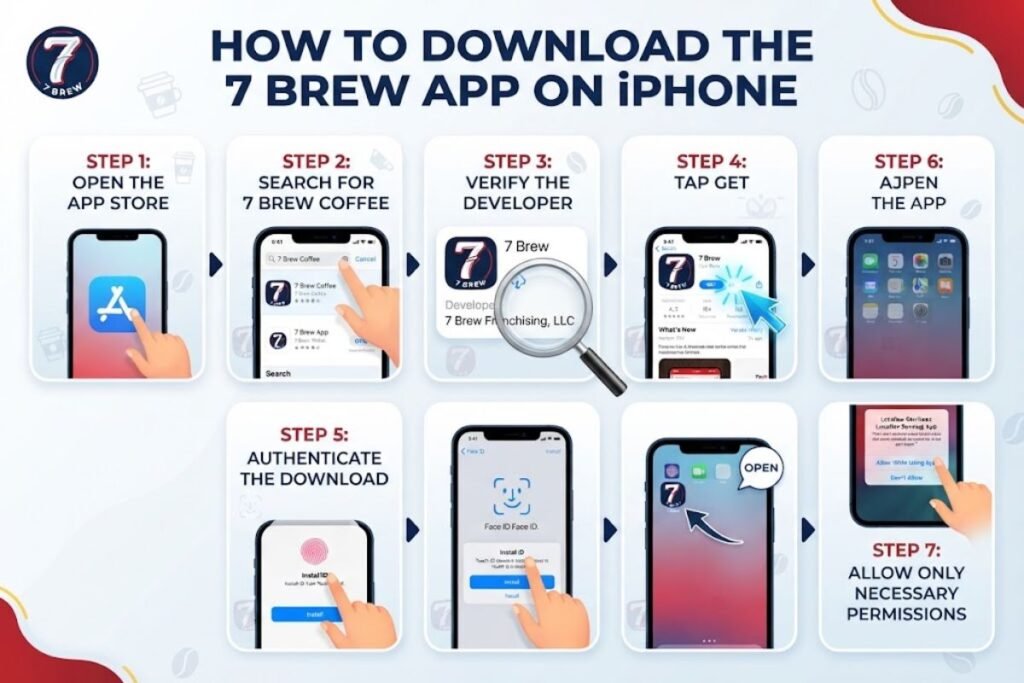
Downloading the official application is straightforward.
Step 1: Open the App Store
Launch Apple’s App Store on your iPhone.
Step 2: Search for 7 Brew Coffee
Search for Seven Brew Coffee, rather than relying only on a generic “7 Brew app” search.
Step 3: Verify the Developer
Look for Brew Culture, LLC. This is one of the easiest ways to distinguish the official application from unrelated results.
Step 4: Tap Get
The official application is listed as free.
Step 5: Authenticate the Download
Depending on your iPhone settings, Apple may ask for Face ID, Touch ID, your Apple Account password, or another authentication method.
Step 6: Open the App
After installation, open 7 Brew Coffee and follow the account setup process.
Step 7: Allow Only Necessary Permissions
If the application requests access to location or other device information, consider whether you want to grant that permission.
You can review and change application permissions through your iPhone settings.
What Can You Do With the 7 Brew App?
The app is more than a digital menu. Its main purpose is to make frequent Seven Brew visits easier while extending the company’s rewards experience into a mobile platform.
01. Order Ahead
One of the most important additions is order-ahead functionality. The official app listing says customers can place an order in advance and have the drink made fresh when they arrive.
This is particularly useful when:
- You are commuting
- You are heading to work
- You have a regular morning order
- You are traveling between appointments
- You already know exactly what you want
However, don’t assume that “order ahead” means your drink has been sitting somewhere for a long time. 7 Brew has emphasized that app orders are prepared around the customer’s arrival and are designed to preserve the handcrafted drive-thru experience.
2. Explore the Menu
The app provides access to the 7 Brew menu, which covers much more than traditional coffee.
The official menu currently includes categories such as:
- 7 Originals
- 7 Classics
- 7 Energy
- 7 Fizz
- Teas
- Chai
- Matcha
- Lemonades
- Smoothies
- Shakes
7 Brew also emphasizes customization across its menu. That makes the app particularly useful for customers who want to explore rather than simply order a standard latte.
3. Customize Your Drink
Customization is one of the biggest reasons the app makes sense for 7 Brew. The brand says it offers more than 20,000 drink combinations and lets customers customize elements such as flavors, sweetness, milk alternatives, and caffeine levels. Instead of trying to remember a complicated combination, you can build it digitally.
For example, a customer might want:
- A specific coffee base
- Two flavor combinations
- A particular sweetness level
- An alternative milk
- Extra espresso
The exact options available can depend on the drink category, so always review the choices presented by the app.
4. Save Favorite Orders
If you have a drink you order repeatedly, saving it can eliminate unnecessary repetition. The app allows customers to save favorite drinks or orders for easier future ordering.
This is especially useful for:
- Daily commuters
- Students
- Office workers
- Parents making repeat orders
- Customers with highly customized drinks
A saved order also reduces the chance of forgetting one of your usual modifications.
5. Earn Rewards
The 7 Brew app integrates with the brand’s rewards experience. The current official rewards portal states that members can earn 100 points for every drink purchased, with 1,000 points redeemable for a free drink of any size. However, loyalty-program terms can change, so users should always check the current information displayed in their account and official 7 Brew resources.
6. Redeem Rewards
The app provides a digital way to manage available rewards. This is more convenient than relying entirely on memory or asking a Brewista to check an account. If you have accumulated enough points, check the rewards area before placing your order so you understand which reward is available and how it applies.
How 7 Brew Rewards Work
The rewards system deserves special attention because it has changed alongside the app launch.
The current official rewards portal explains the basic points structure:
| Rewards element | Current information |
| Points per drink | 100 points |
| Free drink threshold | 1,000 points |
| Free drink size | Any size |
| Membership | 7 Brew Rewards |
| Account identification | Phone number/account |
The 7 Brew privacy policy also explains that Rewards is a customer loyalty program that can provide points and other benefits for qualifying purchases at participating 7 Brew locations.
Why the App Is Better for Frequent Customers
A loyalty program becomes more useful when its information is easy to access.
With a mobile application, frequent customers can more easily:
- Review their rewards
- Place qualifying orders
- Save favorite drinks
- Keep their account accessible
- Track their progress
For someone who visits 7 Brew occasionally, the convenience may be modest. For a daily customer, the difference can be much larger.
As technology continues to transform everyday services, you can also explore some of the top tech companies in the world shaping the digital landscape.
How to Order 7 Brew Ahead on iPhone
Once your account and payment/order information are configured, the basic process is straightforward.
Step 1: Open 7 Brew Coffee
Launch the official app.
Step 2: Choose Your Location
Select the 7 Brew stand where you want to pick up your order. The company provides an official location finder if you need to identify a nearby stand.
Step 3: Choose a Drink
Browse the menu categories and select your drink.
Step 4: Customize It
Review available options for flavors, sweetness, milk, espresso, or other modifications.
Step 5: Review Your Order
This step is easy to overlook.
Before submitting, check:
- Drink size
- Temperature/style
- Flavor choices
- Milk selection
- Extra shots
- Sweetness
- Quantity
- Selected location
- Available rewards
Step 6: Place the Order
Submit the order through the app.
Step 7: Follow the Pickup Instructions
Because 7 Brew remains a drive-thru-focused business, follow the app’s instructions for your selected stand.
Do not assume every location will operate exactly like a traditional café with a large indoor pickup counter.
7 Brew App vs Ordering at the Drive-Thru
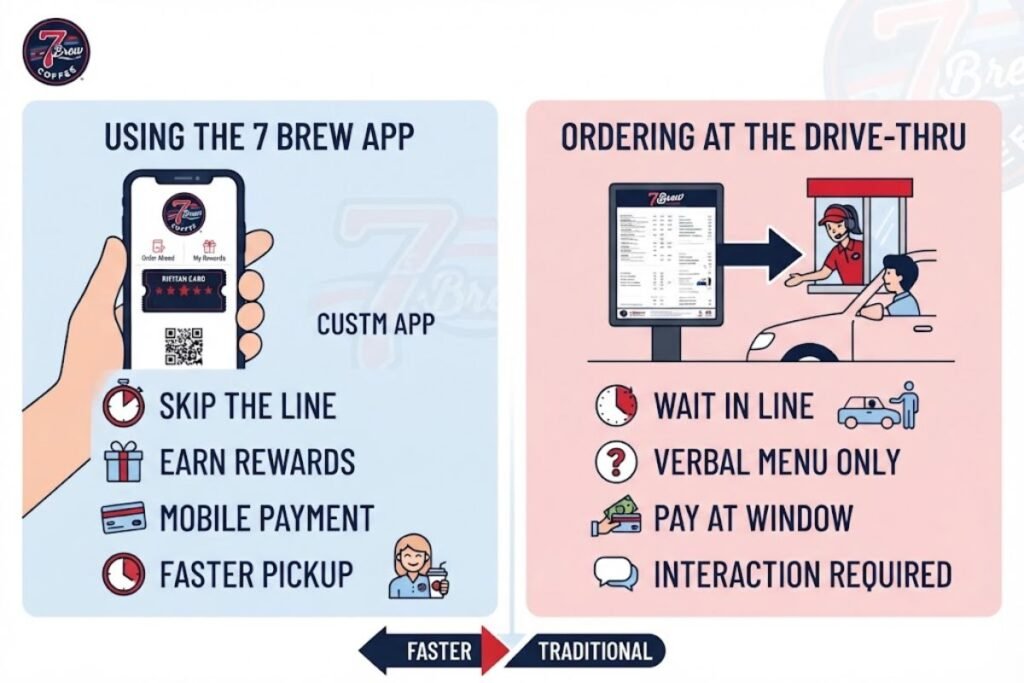
The app does not automatically make the traditional experience obsolete. Both methods have advantages.
| Factor | 7 Brew App | Drive-Thru |
| Pre-ordering | Yes | No |
| Customization | Digital | Spoken |
| Saved favorites | Yes | No |
| Rewards management | App-based | Phone/account assistance may be available |
| Personal interaction | Lower | Higher |
| Best for repeat orders | Excellent | Good |
| Best for exploring with staff help | Moderate | Excellent |
| Smartphone required | Yes | No |
Choose the App If You:
- Know your usual drink
- Want to save time
- Have a complicated customization
- Want to manage rewards digitally
- Prefer ordering from your phone
Choose the Drive-Thru If You:
- Want recommendations
- Are trying 7 Brew for the first time
- Need help understanding menu choices
- Want to ask about ingredients or allergens
- Prefer face-to-face interaction
As shopping continues to move toward interactive digital experiences, our live stream shopping guide explains how this emerging trend is changing the way consumers discover and buy products online.
A Beginner’s Guide to Using the App
If this is your first visit to 7 Brew, don’t feel pressured to understand the entire menu immediately. The brand offers a very large number of combinations, which can actually make the first order harder if you try to explore everything at once.
Start With a Basic Drink Category
Choose one:
- Coffee
- Energy drink
- Tea
- Lemonade
- Smoothie
- Shake
- Fizz
The official menu organizes drinks into these broad categories, making the selection process easier.
Then Choose a Flavor Direction
If you prefer sweet drinks, look for combinations involving flavors you already enjoy. If you like coffee but don’t want an overly complicated drink, start with one of the 7 Originals or Classics.
Customize Gradually
A common beginner mistake is adding too many flavors immediately.
Instead:
- Choose the base.
- Add one or two flavors.
- Choose your milk or preparation style.
- Adjust sweetness if available.
- Add extras only if you know you want them.
This makes it easier to understand what you actually like. The best option depends on the situation. If you’re interested in how brands can use useful digital content to attract and engage their audience, our Content Marketing Guide offers practical strategies and insights.
Best Ways to Use the App for Frequent Orders
Frequent customers can get more value from the application by treating it as a personal ordering tool rather than just a menu.
Save Your Regular Order
If you order the same drink every morning, save it.
Create Variations
You might have:
- Workday drink
- Weekend drink
- Lower-sugar option
- Afternoon option
- Caffeine-free option
Saving variations can be more useful than repeatedly rebuilding a drink.
Check Rewards Before Ordering
If you have a reward available, review your account before submitting the order.
Review Promotions Carefully
Promotions can have specific dates, qualifying products, or redemption conditions. Don’t assume that every promotion automatically works with every reward. 7 Brew’s official promotions page, for example, publishes individual offer conditions and participation information.
7 Brew App Privacy: What iPhone Users Should Know
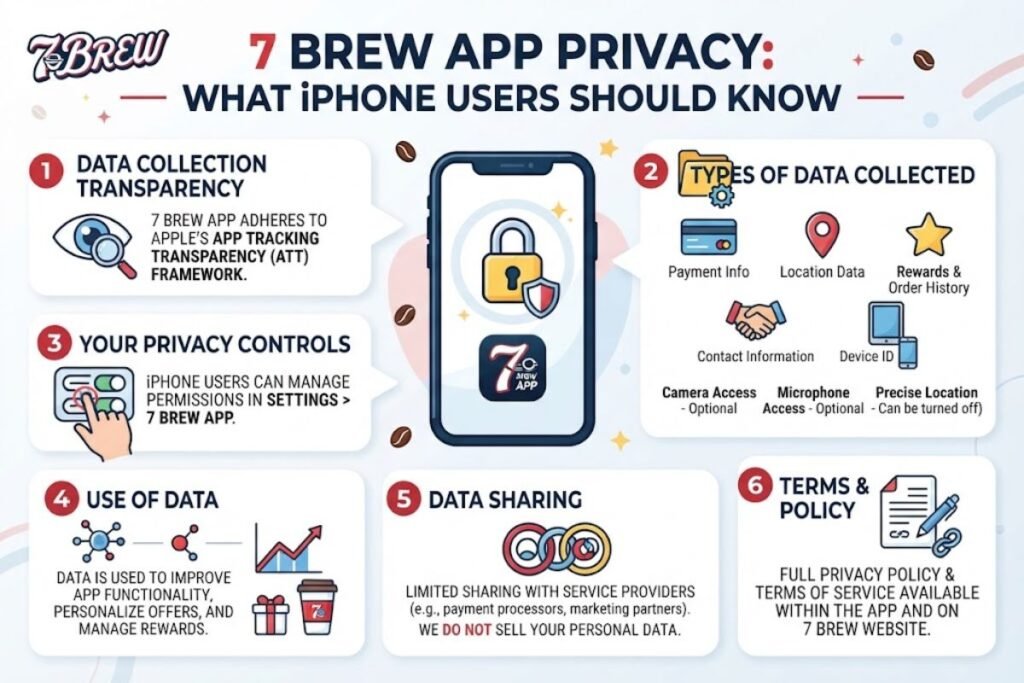
Convenience and privacy often involve a trade-off. Apple’s App Store privacy section says the developer has indicated that the app may use information including purchases, contact information, identifiers, usage data, location, and diagnostics for purposes such as functionality, analytics, advertising or marketing, and tracking.
Apple also notes that these privacy disclosures are developer-provided and have not been verified by Apple. That does not automatically mean the app is unsafe. It means users should understand what information an application may process.
Practical Privacy Tips
Before using any loyalty or ordering app:
- Review its privacy policy.
- Use a strong, unique account password when applicable.
- Avoid granting unnecessary permissions.
- Review location access.
- Keep iOS updated.
- Download only from the official App Store listing.
- Check your account information periodically.
7 Brew’s own privacy policy provides additional information about its online services and Rewards program. For readers interested in broader smartphone security, our guide to the most secure phones in 2026 provides additional context about mobile security, privacy controls, software updates, and device protection.
Is the 7 Brew App Safe to Download?
The official iOS app is distributed through Apple’s App Store and identifies Brew Culture, LLC as its developer. That is preferable to downloading an unknown application from a third-party website. Still, “official” does not mean users should ignore privacy settings.
A sensible approach is:
- Download from the official App Store.
- Verify the developer.
- Review permissions.
- Read the privacy information.
- Keep the app updated.
- Avoid unofficial APKs or modified app packages.
Android users should follow the same principle: use an official store listing and verify the developer rather than installing files from random websites. If you regularly use the 7 Brew app on public Wi-Fi or unfamiliar networks, you can also improve your online privacy by learning how to create your own VPN server.
Common 7 Brew App Problems and How to Handle Them
New applications can produce confusing situations, especially immediately after launch.
The App Does Not Appear in Search
Search specifically for 7 Brew Coffee. If necessary, use the official App Store listing rather than selecting an unrelated application.
You Cannot Log In
Check:
- Phone number or account details
- Internet connection
- SMS verification, if requested
- App version
- iOS version
If the problem continues, use 7 Brew’s official support resources.
Your Rewards Balance Looks Wrong
The rewards system has changed, so account information may not always behave exactly as customers expect during transitions. If points are missing, 7 Brew’s support page asks customers to provide their Rewards phone number, visit date/time, and stand location so the team can investigate.
Your Favorite Drink Cannot Be Recreated.
Remember that a saved drink is only useful if the app currently supports all of its components. Some highly customized combinations may require clarification at the stand. 7 Brew’s official support page says the company has more than 20,000 possible flavor combinations and encourages customers to ask Brewistas about customization and the secret menu.
You Cannot Find a Nearby Location.
Use the official 7 Brew location finder. The company maintains a searchable directory organized by location.
What the 7 Brew App Does Not Mean
It is easy to assume that a new mobile app transforms 7 Brew into a conventional coffee-shop chain. It does not. The brand’s core model remains the drive-thru. 7 Brew describes its operation around fast service, handcrafted drinks, customization, and drive-thru convenience. The app is essentially a digital layer around that experience. That distinction matters.
The App Is Not Just a Delivery App
7 Brew’s official support information says it does not currently offer third-party delivery services such as DoorDash or Uber Eats. Therefore, don’t install the app expecting it to work like a food-delivery marketplace. Its main value is ordering, customization, rewards, and interaction with participating 7 Brew stands.
7 Brew App for Professionals and Busy Workers
Professionals can benefit from the app in a slightly different way than casual customers. Imagine a commuter who orders the same drink every weekday.
Without the app:
- Arrive at the stand.
- Explain the drink.
- Repeat multiple customizations.
- Confirm the order.
- Wait for preparation.
With a saved order:
- Open the app.
- Select the saved drink.
- Confirm the location.
- Place the order ahead.
- Follow the pickup instructions.
The biggest benefit isn’t necessarily the number of taps saved. It is consistency. A complicated order becomes easier to reproduce accurately.
For Teams or Office Runs
The app can also be useful when you are responsible for your own order during a group coffee run. However, don’t assume that one person’s saved order or reward can automatically be transferred to another account. Account and reward rules can change, so verify the current terms when handling shared purchases.
7 Brew App for International Users
The “global audience” needs one important clarification. 7 Brew is a U.S.-focused drive-thru coffee chain, and its official location directory currently lists stands across U.S. states. Therefore, someone outside the United States may be able to find the application in an App Store region but still have no nearby 7 Brew location to use it with.
If You Live Outside the U.S.
Before downloading specifically to place an order,
check:
- Whether 7 Brew operates in your country.
- Whether the app is available in your App Store region.
- Whether your location can be selected.
- Whether rewards are supported in your market.
- Whether payment and ordering features work for your location.
The app’s usefulness depends heavily on the physical availability of 7 Brew stands. This is an important distinction between app availability and service availability.
7 Brew App vs Other Coffee Apps
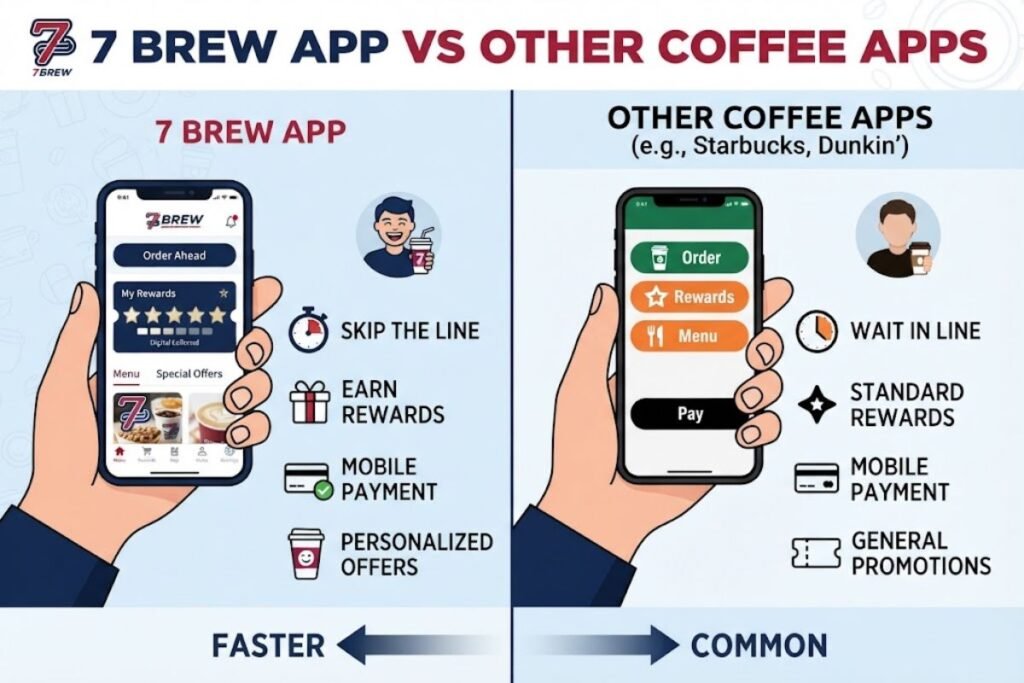
The right comparison depends on what you want from a coffee application.
| Need | 7 Brew | Traditional large coffee-chain app |
| Highly customized drinks | Strong | Strong |
| Drive-thru focus | Strong | Varies |
| Saved favorites | Yes | Usually |
| Rewards | Yes | Usually |
| Order ahead | Yes | Common |
| Huge drink customization | Core feature | Depends on chain |
| Delivery focus | Not the primary model | Varies |
| Personalized ordering | Strong | Strong |
The important point is not that one application is universally better. Instead, 7 Brew’s app is particularly relevant if you already like the chain’s customizable, drive-thru-oriented experience.
Advantages and Disadvantages of the 7 Brew App
Pros
- Official iPhone application
- Free to download
- Order-ahead functionality
- Digital rewards management
- Saved favorite orders
- Drink customization
- Easier repeat ordering
- Access to the menu from your phone
- Useful for frequent customers
The official App Store listing confirms the core ordering, customization, and rewards features.
Cons
- Requires a compatible device
- Requires iOS 15 or later on Apple’s platform
- Not equally useful where 7 Brew has no locations
- New-app issues may occur as systems mature
- Privacy considerations apply
- Extremely customized drinks may still require clarification
- Users must be careful to distinguish the official app from unrelated search results
Common Mistakes to Avoid
Mistake 1: Downloading the Wrong App
Always check the developer name.
Mistake 2: Trusting Old Articles
An article written before August 2026 may say there is no 7 Brew app. That information is now outdated.
Mistake 3: Ordering Without Checking the Location
Order-ahead is useful only if you select the correct stand.
Mistake 4: Forgetting to Review Customizations
A small mistake in a complex drink can change the final result.
Mistake 5: Ignoring Rewards Conditions
Promotions and loyalty rewards can have different rules.
Mistake 6: Giving Every Permission Automatically
Review what the app requests and allow only what makes sense for your usage.
Mistake 7: Assuming Every Country Has 7 Brew
The existence of the application does not mean there is a local 7 Brew stand in every country.
Practical Tips for Getting the Most From 7 Brew
If you plan to use the app regularly, these habits can make it more useful.
Tip 1: Start Simple
Don’t begin by exploring hundreds of combinations. Find one drink you like first.
Tip 2: Save Successful Orders
Once you find a combination you enjoy, save it.
Tip 3: Use the Menu as a Learning Tool
The app can help you understand the categories before you reach the drive-thru.
Tip 4: Check Your Rewards Regularly
You don’t want to discover a reward after you’ve already completed an order.
Tip 5: Keep Your App Updated
New apps often receive bug fixes and feature improvements.
Tip 6: Verify the Stand
Especially when traveling, confirm the selected location before placing an order.
Tip 7: Ask About Allergens
If you have a food allergy, do not rely only on a visual menu selection.
7 Brew says its stands have allergen charts available and that Brewistas can answer questions about allergens. For general technology users, understanding how your phone’s operating system handles apps and permissions is also useful. Our complete operating system guide explains how iOS and Android differ in areas such as security, software management, and customization.
Helpful Official Resources
For the most accurate and up-to-date information about the 7 Brew app, menu, rewards, locations, and privacy policies, it is best to rely on official sources. The 7 Brew official website provides general information about the brand, while the official 7 Brew Coffee App on the Apple App Store is the safest place for iPhone users to verify and install the app. You can also check the official 7 Brew menu for current drink options and customization choices.
For account, ordering, or rewards-related questions, visit 7 Brew official support and 7 Brew Rewards. The 7 Brew locations directory can help you find participating stands, while the 7 Brew privacy policy explains how customer information is handled.
Final Verdict: Is the 7 Brew App Worth Using?
The 7 Brew app is a meaningful upgrade for customers who regularly visit the chain, especially people who already have favorite drinks and want a faster way to repeat them. Its strongest advantages are practical rather than flashy: order ahead, save customized drinks, manage rewards, and explore the menu before arriving. The app also fits naturally with 7 Brew’s existing drive-thru model instead of trying to turn the company into a conventional café.
For a first-time customer, the app is useful for exploring the menu, but speaking directly with a Brewista can still be the better choice when you need recommendations or have questions about ingredients. For frequent customers, however, the application offers a much stronger reason to download it. Just make sure you install the official 7 Brew Coffee app from the App Store, verify that Brew Culture, LLC is listed as the developer, check your privacy settings, and confirm the correct stand before submitting an order.
As with any newly launched application, features and policies may continue to evolve. For the most reliable information, check the official 7 Brew app listing, support pages, rewards information, and location directory before making decisions.
Frequently Asked Questions
Q: Does 7 Brew have an app for iPhone?
Ans: Yes. The official 7 Brew Coffee app is available through Apple’s App Store. It is published by Brew Culture, LLC and currently requires iOS 15 or later.
Q: Is the 7 Brew app free?
Ans: Yes. Apple’s current listing shows the official 7 Brew Coffee app as free to download.
Q: Can I order 7 Brew ahead with the app?
Ans: Yes. Order-ahead is one of the app’s main features. The app is designed to let customers place orders before arriving at the stand.
Q: Can I customize drinks in the 7 Brew app?
Ans: Yes. Drink customization is a central feature. 7 Brew says its menu supports more than 20,000 possible drink combinations.
Q: Can I save my favorite 7 Brew drink?
Ans: Yes. The new application supports saving favorite orders, making repeat purchases easier.
Q: How many points do I need for a free 7 Brew drink?
Ans: The current official rewards portal states that members earn 100 points for every drink purchased and can redeem 1,000 points for a free drink of any size.
Q: Is the 7 Brew app available outside the United States?
Ans: App availability and store availability are different. 7 Brew’s official location directory currently lists its stands across U.S. states, so international users should check whether the chain operates in their market before relying on the app.
Q: What should I do if my 7 Brew rewards points are missing?
Ans: Use 7 Brew’s official support system and provide your Rewards phone number, the date and time of the visit, and the stand location. The company specifically requests these details when investigating missing points.
Q: Does the 7 Brew app deliver drinks?
Ans: The app is primarily designed around 7 Brew’s ordering and drive-thru experience. 7 Brew’s official support page currently says the company does not offer third-party delivery services.
Q: What iOS version does the 7 Brew app require?
Ans: The current Apple App Store listing says the application requires iOS 15.0 or later.